
Zukei Level 7
Loading the math board and drawing, please wait…
In collections
Zukei Game
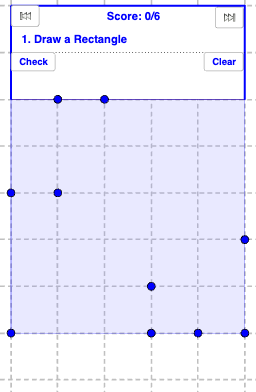
This example demonstrates geometric construction problems in Zukei Level 7. Core mathematical concepts include straight lines, dilation, subtraction, and means. Using GeoGebra commands such as Sort, Element, If, Polygon, etc., various shapes like parallelograms, trapezoids, rhombuses, rectangles, and squares can be constructed. Suitable for middle school and above students or teachers.
GeoGebra Commands & Parameters
Sort(triSides) → TriSidesSortElement(TriSidesSort, 1) → sideAElement(TriSidesSort, 2) → sideBElement(TriSidesSort, 3) → sideCElement(answerList, numQuestion) → questionIf(square, "Square", isoTrapezoid, "Isosceles Trapezoid", trapezoid, "Trapezoid", isQuad, "Quadrilateral", " ", rectangle, "Rectangle", rhombus, "Rhombus", parallelogram, "Parallelogram", kite, "Kite") → quadTextPolygon(A, F, F_6, A_6) → poly1, f, g, h, iLength(list6) → aIf(triRight, "Right", triAcute, "Acute", triObtuse, "Obtuse", " ") → triAngleTextIf(triEquilateral, "Equilateral", triIsosceles, "Isosceles", triScalene, "Scalene", " ") → triSideTextIf(isQuad, quadText, isTriangle, triText, "blank") → polyTextIf(correct, correctText, wrongText) → textCheckIntersect(h, i) → GIntersect(g, h) → HPolygon(G, H, I, J) → poly2, g_1, h_1, i_1, jPoint(j) → KPoint(h_1) → LSegment(K, L) → lIf(triIsosceles ∨ triEquilateral ∨ isoTrapezoid, "an", "a") → anText2If(question ≟ "Isosceles Right Triangle" ∨ question ≟ "Isosceles Triangle", "an", "a") → anText1If(triIsosceles, "Isosceles", "") → triIsoscelesTextIf(triRight ∧ triIsosceles, "Isosceles Right Triangle", triRight, "Right Triangle", triIsosceles, "Isosceles Triangle", triText) → triRightTextIf(isQuad, quadText, isTriangle, triRightText, "blank") → polyTextAlt
AI Drawing Prompt Reference
Draw an isosceles right triangle by first drawing two equal-length legs forming a right angle, then connecting their endpoints to form the right angle. Next, draw a circle with the right angle vertex as the center and the leg as the radius, and the intersection points of the circle with the legs are the endpoints of the hypotenuse. Finally, connect these points to form the isosceles right triangle.
The prompt above was compiled from the original drawing commands and is for reference only.