
Zukei Level 1
Loading the math board and drawing, please wait…
In collections
Zukei Game
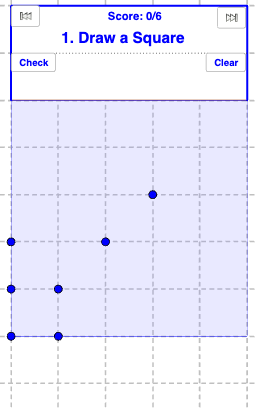
This example demonstrates geometric shapes in Zukei Level 1, involving concepts such as polygons, parallel lines, and diagonals. Using GeoGebra commands like Polygon, Segment, and Intersect, various shapes such as parallelograms, trapezoids, rhombuses, rectangles, and squares can be constructed. Suitable for high-grade elementary and junior high school students learning geometric construction.
GeoGebra Commands & Parameters
Sort(triSides) → TriSidesSortElement(TriSidesSort, 1) → sideAElement(TriSidesSort, 2) → sideBElement(TriSidesSort, 3) → sideCElement(answerList, numQuestion) → questionIf(square, "Square", isoTrapezoid, "Isosceles Trapezoid", trapezoid, "Trapezoid", isQuad, "Quadrilateral", " ", rectangle, "Rectangle", rhombus, "Rhombus", parallelogram, "Parallelogram", kite, "Kite") → quadTextPolygon(A, F, F_6, A_6) → poly1, f, g, h, iLength(list6) → aIf(triRight, "Right", triAcute, "Acute", triObtuse, "Obtuse", " ") → triAngleTextIf(triEquilateral, "Equilateral", triIsosceles, "Isosceles", triScalene, "Scalene", " ") → triSideTextIf(isQuad, quadText, isTriangle, triText, "blank") → polyTextIf(correct, correctText, wrongText) → textCheckIntersect(h, i) → GIntersect(g, h) → HPolygon(G, H, I, J) → poly2, g_1, h_1, i_1, jPoint(j) → KPoint(h_1) → LSegment(K, L) → lIf(triIsosceles ∨ triEquilateral ∨ isoTrapezoid, "an", "a") → anText2If(question ≟ "Isosceles Right Triangle" ∨ question ≟ "Isosceles Triangle", "an", "a") → anText1If(triIsosceles, "Isosceles", "") → triIsoscelesTextIf(triRight ∧ triIsosceles, "Isosceles Right Triangle", triRight, "Right Triangle", triIsosceles, "Isosceles Triangle", triText) → triRightTextIf(isQuad, quadText, isTriangle, triRightText, "blank") → polyTextAlt