
yz-axis directions in GeoGebra
Loading the math board and drawing, please wait…
In collections
GeoGebra 3D
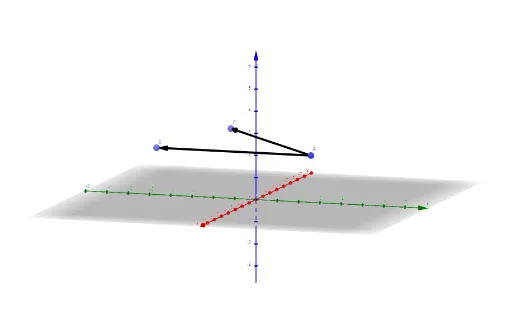
This example demonstrates how to determine point positions using yz-axis directions, linking geometric construction with coordinate geometry. Key mathematical concepts include coordinate systems, vectors, and geometric transformations. Construction involves GeoGebra commands like Line, OrthogonalLine, Point, and Vector to create points A, B, C and vectors u, v. Suitable for middle school students learning geometry fundamentals or high school students practicing coordinate geometry.
GeoGebra Commands & Parameters
Line(A, yAxis) → fOrthogonalLine(A, zAxis, space) → gPoint(f) → BPoint(g) → CVector(A, B) → uVector(A, C) → v
AI Drawing Prompt Reference
Draw a point A in 3D space, then construct a line through A parallel to the yz-axis and another line through A perpendicular to the z-axis, finding their intersections B and C with the z-axis and yz-plane, respectively. Finally, draw vectors u from A to B and v from A to C.
The prompt above was compiled from the original drawing commands and is for reference only.