
What's My Rule #4? Reflection Across y=x
Loading the math board and drawing, please wait…
In collections
Transformations
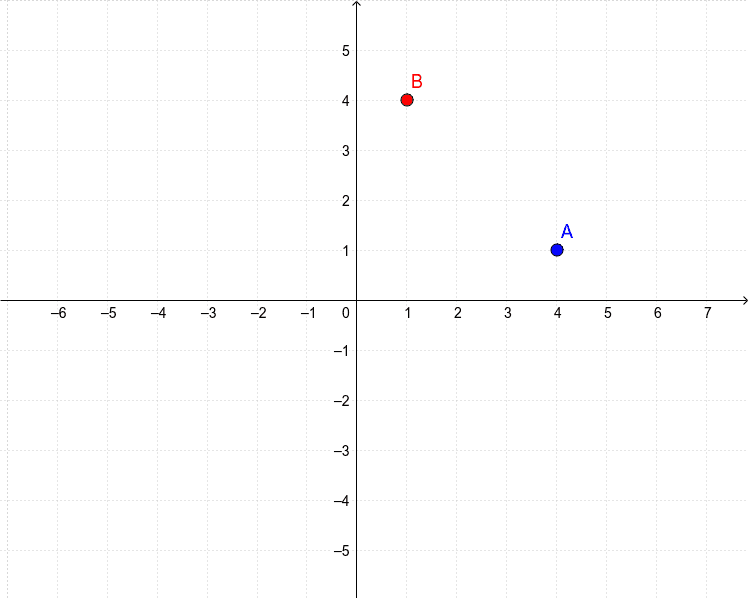
This example illustrates how to reflect a point A across the line y=x to obtain point B, demonstrating the geometric transformation known as reflection. The core mathematical concepts include symmetry, coordinate geometry, and the use of the line y=x as the axis of symmetry. In GeoGebra, the construction uses the Reflect command with objects A and B, allowing users to explore the relationship between original and reflected points dynamically. It is suitable for middle‑school and high‑school geometry and coordinate‑transformation lessons, providing an interactive way to understand reflection and symmetry.
GeoGebra Commands & Parameters
Point A(4.0, 1.0)(y(A), x(A))
AI Drawing Prompt Reference
On a Cartesian plane draw the line y = x as the axis of symmetry, show the coordinate axes, plot the point (4,1), construct its mirror image across the line which is (1,4), draw a dashed segment joining the two points, and also draw the perpendicular from the original point to the line meeting at the midpoint to emphasize the reflection.
The prompt above was compiled from the original drawing commands and is for reference only.