
Water Wheel Problem
Loading the math board and drawing, please wait…
In collections
Trig
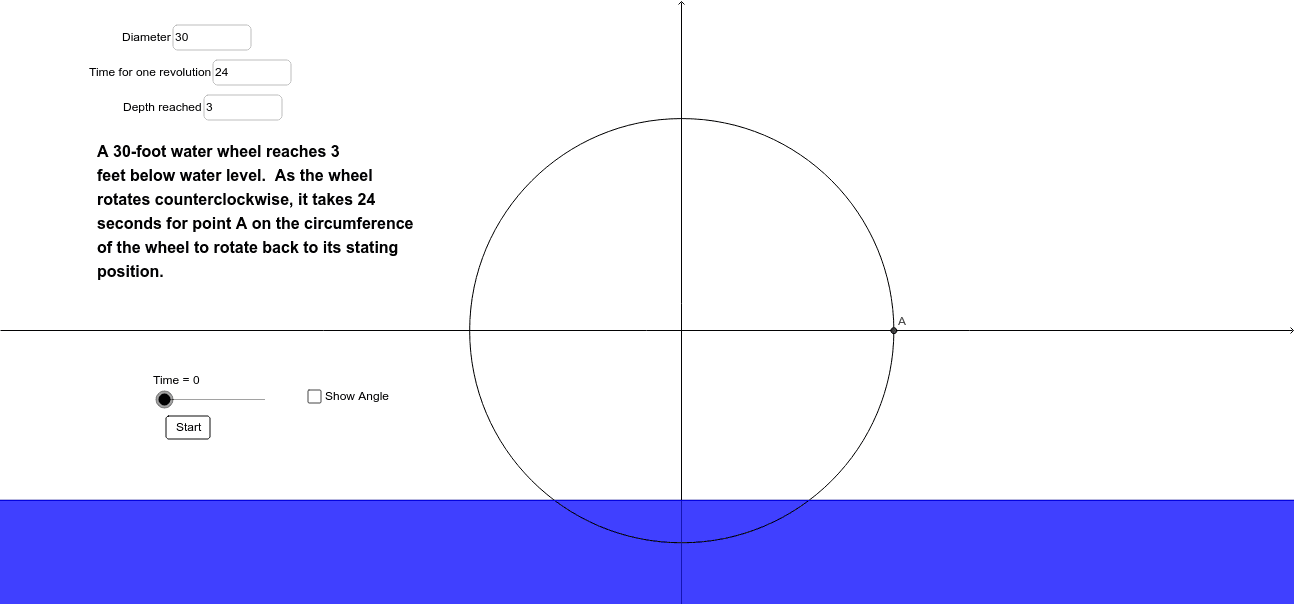
This example uses trigonometric functions to demonstrate the motion of a water wheel. It involves the core concept of trigonometry, simulating the rotation of the water wheel by drawing points on a circle. Commands used include Circle, Polygon, Angle, and Segment, suitable for high school mathematics education.
GeoGebra Commands & Parameters
Textfield(Diameter) → inputBox1Textfield(angularspeed) → inputBox2Textfield(depth) → inputBox3Circle((0, 0), Diameter / 2) → cPolygon((-100, (-Diameter) / 2 + depth), (-100, -100), (100, -100), (100, (-Diameter) / 2 + depth), (-100, (-Diameter) / 2 + depth)) → poly1, b, d, e, f, gAngle((Diameter / 2, 0), (0, 0), A) → αSegment((0, 0), A) → h
AI Drawing Prompt Reference
Draw a circle centered at the origin with a diameter of inputBox1. Then, draw a polygon resembling a water wheel, with its bottom part below the circle and a depth of inputBox3. Next, draw an angle with the vertex at the circle's center and the base on the circle's circumference, corresponding to the rotation speed inputBox2, and draw a line segment from the center to the point on the circumference.
The prompt above was compiled from the original drawing commands and is for reference only.