
Warm-up: Points, Lines, Planes
Loading the math board and drawing, please wait…
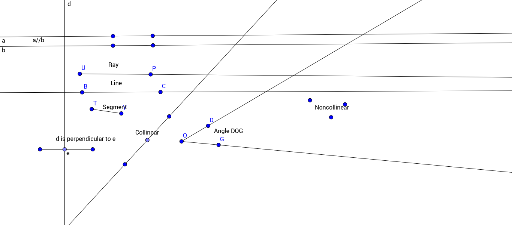
This example demonstrates the basic concepts of points, lines, and planes. It involves key mathematical concepts such as geometry points, lines, and planes, as well as vectors. Using GeoGebra commands like Ray, Segment, and Line, these basic geometric elements can be constructed. Suitable for middle school and above students or teachers for teaching and learning.
GeoGebra Commands & Parameters
Ray(U, P) → fSegment(T, Y) → gLine(B, C) → hRay(O, D) → iRay(O, G) → jLine(A, D_1) → aLine(E, F) → bSegment(G_1, H) → ePoint(e) → IOrthogonalLine(I, e) → dLine(J, K) → kPoint(k) → L
AI Drawing Prompt Reference
Draw a basic concept diagram of points, lines, and planes, including two rays, one segment, and three lines, showing vector relationships. Start by drawing a ray and a segment, then draw two lines. Next, draw two rays from the origin and connect two points to form a line. Then, find the intersection point of the segment and ray, draw a line perpendicular to the segment, and connect the two intersection points to form another line. Finally, find the intersection point of the two lines to complete the diagram.
The prompt above was compiled from the original drawing commands and is for reference only.