
Volume Using Iterated Integrals
Loading the math board and drawing, please wait…
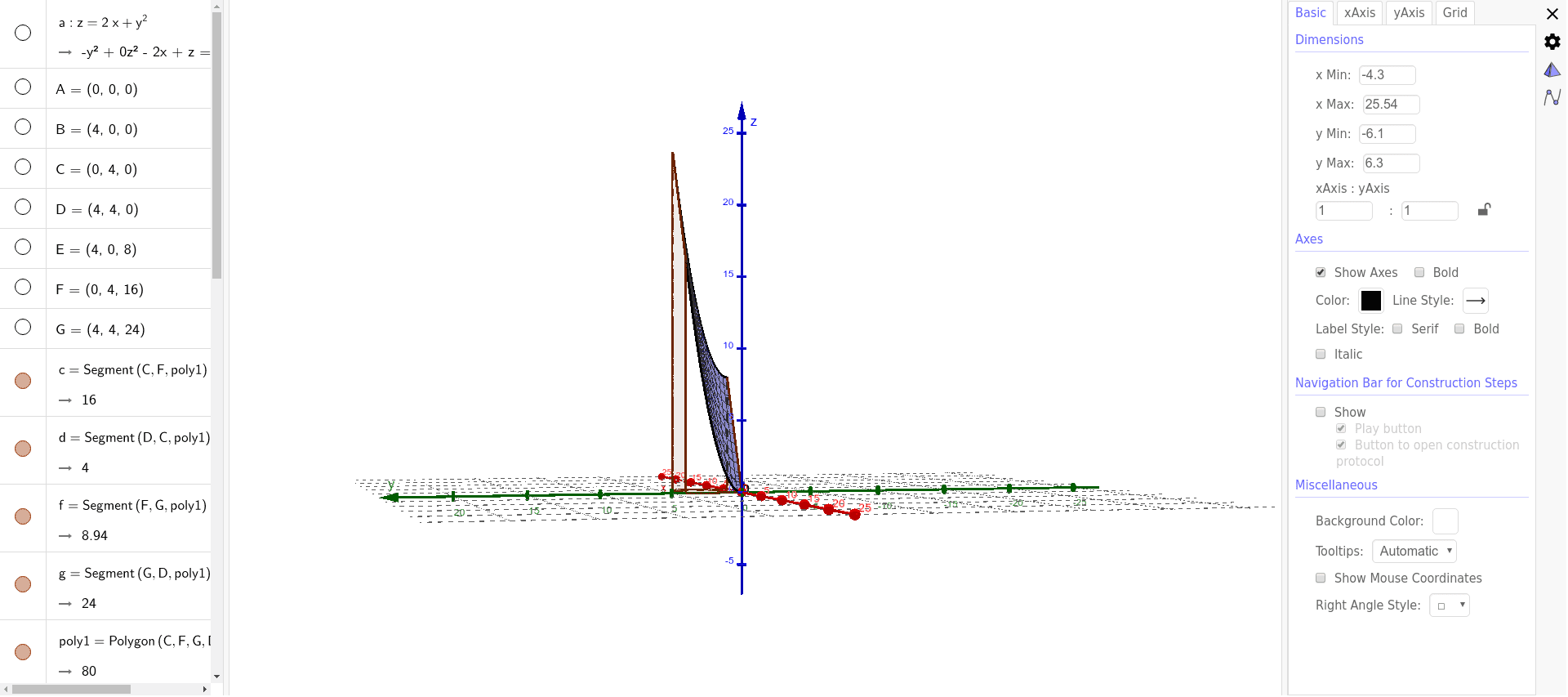
① This GeoGebra example dynamically demonstrates how to compute the volume of a solid bounded by surfaces and planes using iterated integrals (double integrals), visualizing the relationship between the integration region and the resulting volume. ② Core mathematical concepts include double integrals, iterated integration, definite integrals for volume, regions bounded by surfaces and planes, and determining integration limits. ③ Construction highlights: from the construction summary, the example uses Polygon commands to build the base region, CurveCartesian to define boundary curves, Point to mark key vertices, and Surface to generate 3D surfaces; objects include multiple polygons (poly1, poly2, poly3), curves (c, f, g, d, b, h, i), and auxiliary points (A through H), allowing dynamic adjustment of parameters to observe volume changes. ④ Suitable for university-level calculus or advanced mathematics courses covering multiple integrals, as well as for high school enrichment or teacher demonstrations to help students grasp the abstract concept of extending 2D integration to 3D volume.
GeoGebra Commands & Parameters
Polygon(C, F, G, D) → poly1, c, f, g, dCurveCartesian(4, t, 8 + t^(2), t, 0, 4) → bPolygon(A, E, B) → poly2, b_1, a_1, ePoint(b) → HPolygon(A, C, D, B) → poly3, a_2, c_1, d_1, b_2CurveCartesian(0, t, t^(2), t, 0, 4) → hSurface(s, t, (2 * s) + t^(2), s, 0, 4, t, 0, 4) → i