
Pyramid Construction and Integral Demonstration
Loading the math board and drawing, please wait…
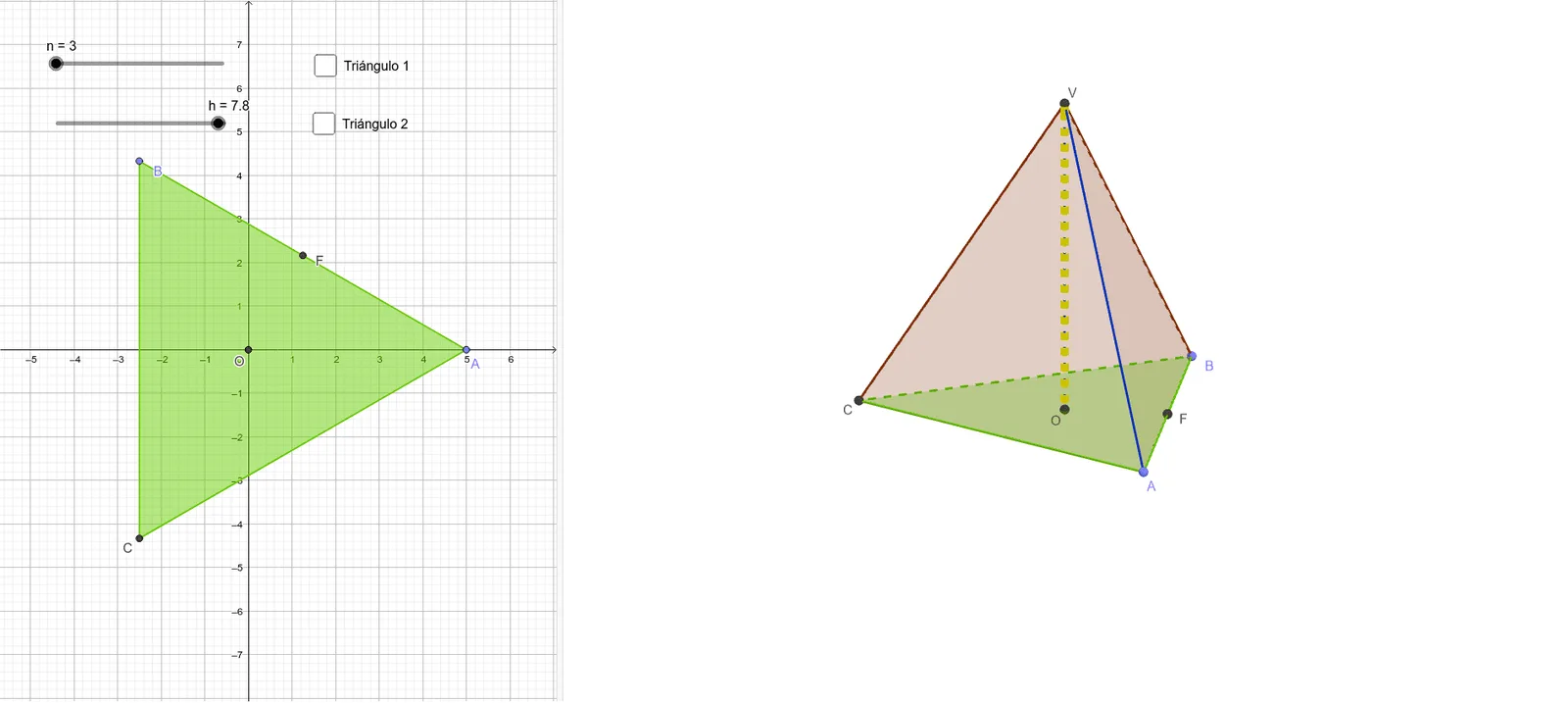
This example demonstrates the construction of a pyramid and its integration with integral calculations. Core mathematical concepts include polygons, solid geometry, upper and lower sums (Riemann sums), integral calculus, and hyperbolas. Key construction elements from the summary involve commands/objects like Intersect, Point, Rotate, Polygon, Pyramid, Midpoint, and Segment in GeoGebra. Suitable for high school and above, ideal for visualizing solid geometry, integral calculus, and advanced mathematics teaching.
GeoGebra Commands & Parameters
Intersect(xAxis, yAxis) → OPoint(xAxis) → ARotate(A, (360 * ° / n), O) → BPolygon(A, B, n) → polígono1, f, q, C, D, E, G, H, I, J, K, g, h_1, i, j, k, l, m, pPyramid(polígono1, V) → a, caraABV, cara7, aristaAV, aristaBV, aristaCV, arista1, arista2, arista3, arista4, arista5, arista6, caraBCV, arista7, caraACV, cara1, cara2, cara3, cara4, cara5, cara6Midpoint(f) → FPolygon(O, F, V) → polígono2, v, o, f_1Polygon(O, A, V) → polígono3, v_1, o_1, a_1Segment(O, V) → r
AI Drawing Prompt Reference
Draw a pyramid and demonstrate its integration with integral calculations. Start by plotting the intersection of the coordinate axes, then rotate a point around the origin. Form a polygon using these two points and the rotated point. Extend upward from this polygon to create a pyramid. Next, find the midpoint of each side of the polygon, connect these midpoints to the origin, and also connect the origin to the pyramid's apex to form two new polygons. Finally, draw a line segment connecting the origin to the pyramid's apex.
The prompt above was compiled from the original drawing commands and is for reference only.