
Volume of Rotation - Disk Method Visualization
Loading the math board and drawing, please wait…
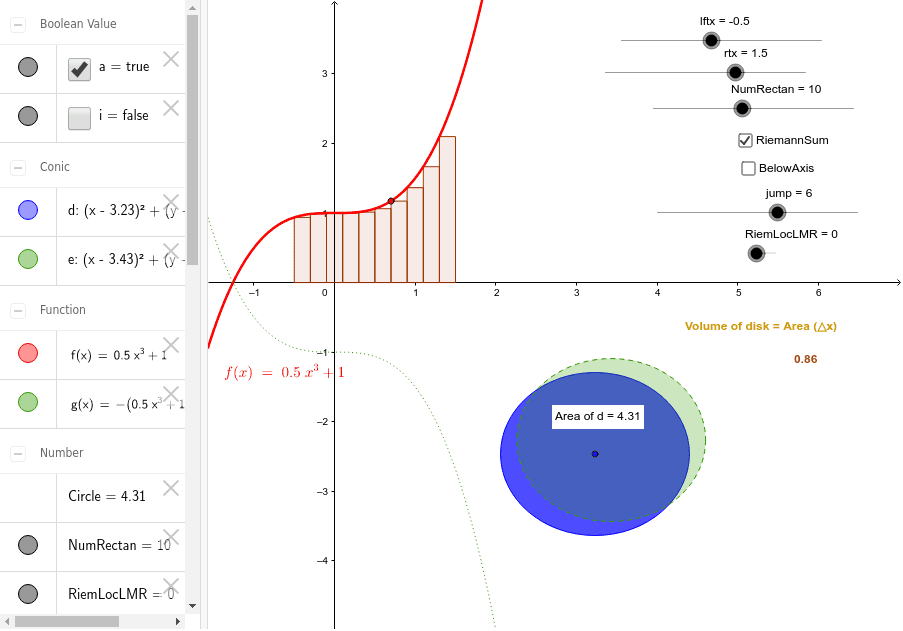
This example demonstrates the disk method for calculating the volume of a solid of revolution. Key mathematical concepts include integration in calculus. It uses RectangleSum, Circle, Area, PointIn, and Text commands in GeoGebra to approximate the volume. Suitable for high school math education and learning.
GeoGebra Commands & Parameters
RectangleSum(f, lftx, rtx, NumRectan, RiemLocLMR) → RiemannSumCircle(A, y(B)) → dCircle(C, y(B)) → eRectangleSum(g, lftx, rtx, NumRectan, RiemLocLMR) → RiemannBelowAxisArea(d) → CirclePointIn(d) → PointdText(vol) → text2
AI Drawing Prompt Reference
Draw a graphic representing the volume of a rotated solid. The graphic should include a rectangular area, a circular area, and a text label. The rectangular area represents the base, the circular area represents the rotation part, and the text label displays the volume calculation result. The construction order is to draw the rectangular area first, then the circular area, and finally add the text label.
The prompt above was compiled from the original drawing commands and is for reference only.