
Volume of a Sphere by Diah Vialita Dewi
Loading the math board and drawing, please wait…
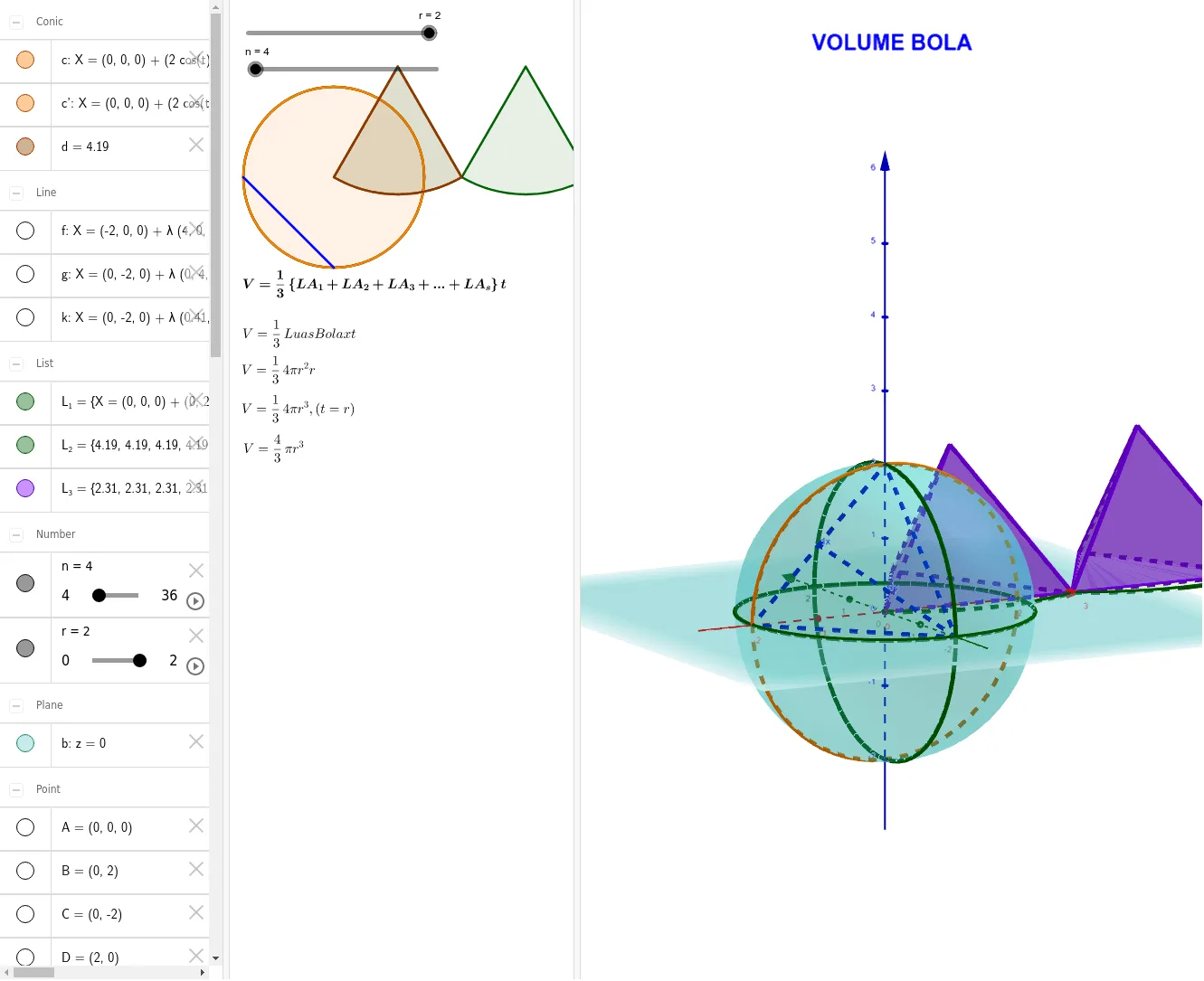
This example demonstrates how to construct a sphere and calculate its volume using GeoGebra. Key mathematical concepts include the volume formula for a sphere in solid geometry. The construction uses commands such as Sphere, IntersectPath, Intersect, Line, Rotate, Sequence, Point, Segment, OrthogonalLine, CircleSector, and Pyramid.
GeoGebra Commands & Parameters
Sphere(A, r) → aIntersectPath(b, a) → cIntersect(yAxis, c, 1) → BIntersect(xAxis, c, 1) → DIntersect(yAxis, c, 2) → CIntersect(xAxis, c, 2) → ELine(C, B) → gLine(E, D) → fRotate(c, 90°, f) → c'Sequence(Rotate[c, ((i * 360) * ° / n), g], i, 1, n) → L_1Point(L_1) → FIntersect(zAxis, c', 2) → G_1Intersect(zAxis, c') → I, I_1Segment(I, E) → hSegment(E, C) → iSegment(C, I) → jOrthogonalLine(C, h, space) → kIntersect(k, h) → GSegment(G, C) → lSegment(I, E) → dxSegment(C, G) → dyCircleSector(J, A, H) → dPyramid(A, H, J, K) → e, faceAHJ, edgeJK, faceAHK, faceHJK, faceAJK, edgeAH, edgeHJ, edgeAJ, edgeAK, edgeHKSequence(CircleSector[((((2 * i) - 1) * dx / 2), dy, 0), (((i - 1) * dx), 0, 0), ((i * dx), 0, 0), xOyPlane], i, 1, (2 * n)) → L_2Sequence(Pyramid[Polygon[(((i - 1) * dx), 0, 0), ((i * dx), 0, 0), ((((2 * i) - 1) * dx / 2), dy, 0)], r], i, 1, (2 * n)) → L_3
AI Drawing Prompt Reference
Construct a three-dimensional sphere, create cross-section circles passing through the coordinate axes on the sphere, and generate a solid of revolution by rotating the cross-section around an axis; draw line segments through the intersection points with the coordinate axes on the cross-section, construct perpendicular lines to these segments; create circular sectors on the cross-section, and fill the sphere with multiple pyramids to demonstrate the volume calculation of the sphere.
The prompt above was compiled from the original drawing commands and is for reference only.