
Volume of a Hexagonal Prism
Loading the math board and drawing, please wait…
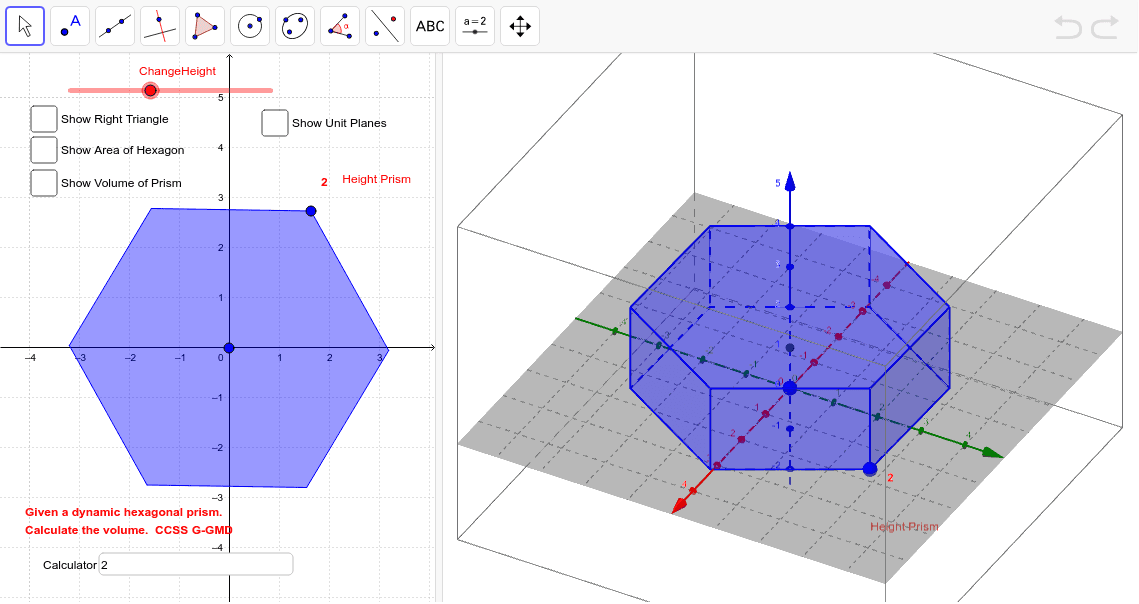
This GeoGebra example constructs a dynamic hexagonal prism whose height can be adjusted, demonstrating how to calculate the volume of a hexagonal prism. The core mathematical concept is the volume formula for prisms (base area × height), including the area calculation of a regular hexagon. The construction uses commands such as Circle, Segment, Intersect, Polygon, Prism, PointIn, Volume, and Slider to create the base hexagon, generate the prism, and update the volume in real time as the height changes. Text and Textfield objects display the computed values. This resource is suitable for middle or high school geometry classes, helping students understand the volume formula, explore the relationship between dimensions and volume, and develop spatial reasoning through interactive manipulation.
GeoGebra Commands & Parameters
Circle(center, B, xOyPlane) → cSegment(center, B) → fCircle(B, f) → dIntersect(d, c) → C, D, ,Circle(D, f, xOyPlane) → eCircle(C, f, xOyPlane) → gIntersect(e, c) → E, F, ,Intersect(g, c) → G, H, ,Circle(G, f, xOyPlane) → hIntersect(h, c) → I, J, ,Polygon(B, D, F, I, G, C) → poly1, b, d_1, f_1, i, g_1, c_1Plane(L, A, K) → aMirror(poly1, a) → hexagonPrism(hexagon, B) → HexPrism, M, face6, face2, CrossSection, edge1, edge2, edge3, edge4, edge5, edge6, edgeBM, N, edgeMN, edgeNO, edgeOP, edgePQ, edgeBQ, O, P, Q, face1, face3, face4, face5PointIn(CrossSection) → PointfaceBMNOPQVolume(HexPrism) → volumejPoint(HexPrism) → PointjPointIn(CrossSection) → PointCrossSectionPointIn(hexagon) → Pointpoly1'Text(PrismHeight, (x(B) + 0.2, y(B) + 0.5)) → text1Plane(R, a) → jPlane(S, a) → kPlane(T, a) → lPlane(U, a) → mPlane(V, a) → nMidpoint(edgeBQ) → WSegment(center, W) → pAngle(B, W, center, xOyPlane) → αTextfield(calc) → CalculatorSegment(B, W) → q