
Volume of a Cuboid by Nicolas ERDRICH
Loading the math board and drawing, please wait…
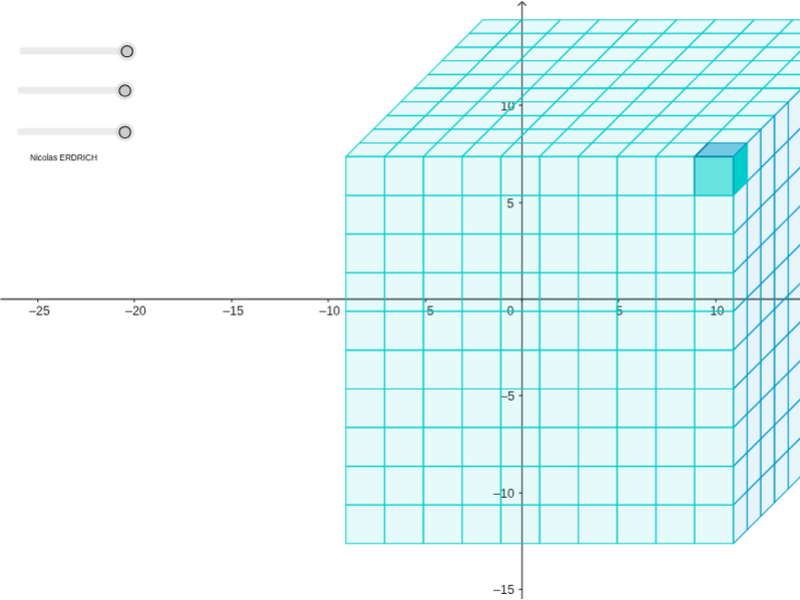
This example demonstrates how to calculate the volume of a cuboid using geometric construction. Key math concepts include solid geometry and geometric construction. It utilizes commands such as Line, OrthogonalLine, Circle, Intersect, Rotate, Angle, Segment, Midpoint, Polygon, Sequence in GeoGebra. Suitable for middle school and above students learning solid geometry.
GeoGebra Commands & Parameters
Line(A, xAxis) → aOrthogonalLine(A, a) → q_4Circle(A, 2) → rIntersect(r, q_4, 2) → EIntersect(r, a, 2) → BOrthogonalLine(E, q_4) → sOrthogonalLine(B, a) → tIntersect(s, t) → FRotate(F, 45*°, E) → S'Angle(F, E, S') → αSegment(E, S') → i_1Segment(E, F) → j_1Midpoint(j_1) → TCircle(E, T) → k_1Intersect(k_1, i_1, 1) → HSegment(E, H) → p_1Line(H, j_1) → q_1Line(F, p_1) → r_1Intersect(q_1, r_1) → VSegment(A, E) → s_1Segment(F, B) → t_1Line(B, r_1) → a_2Line(V, s_1) → b_2Intersect(a_2, b_2) → WPolygon(A, B, F, E) → poly1, p_2, r_2, s_2, q_2Polygon(B, W, V, F) → poly2, r_3, w, v, s_3Polygon(E, F, V, H) → poly3, q_3, s_4, v_1, uSequence(Sequence[Polygon[Translate[E, Vector[l * Vector[B, A] + m * Vector[E, H]]], Translate[F, Vector[l * Vector[B, A] + m * Vector[E, H]]], Translate[V, Vector[l * Vector[B, A] + m * Vector[E, H]]], Translate[H, Vector[l * Vector[B, A] + m * Vector[E, H]]]], l, 0, o], m, 0, q) → liste3Sequence(Sequence[Polygon[Translate[B, Vector[l * Vector[E, A] + m * Vector[E, H]]], Translate[W, Vector[l * Vector[E, A] + m * Vector[E, H]]], Translate[V, Vector[l * Vector[E, A] + m * Vector[E, H]]], Translate[F, Vector[l * Vector[E, A] + m * Vector[E, H]]]], l, 0, p], m, 0, q) → liste2Sequence(Sequence[Polygon[Translate[A, Vector[k * Vector[B, A] + l * Vector[E, A]]], Translate[B, Vector[k * Vector[B, A] + l * Vector[E, A]]], Translate[F, Vector[k * Vector[B, A] + l * Vector[E, A]]], Translate[E, Vector[k * Vector[B, A] + l * Vector[E, A]]]], k, 0, o], l, 0, p) → liste
AI Drawing Prompt Reference
Draw a cuboid to demonstrate the calculation of its volume. Start by constructing the base and sides of the cuboid, then rotate a part of the base to form the top. Label key points, lines, and angles, and use different colors to distinguish each part. Finally, stack multiple parallelograms to represent the volume of the cuboid, showing the geometric construction process.
The prompt above was compiled from the original drawing commands and is for reference only.