
Volume by Cylindrical Shell
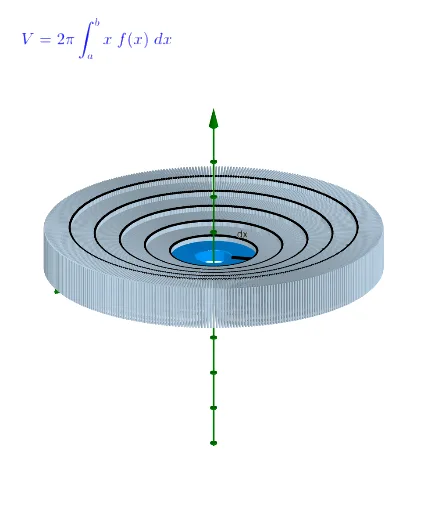
Loading the math board and drawing, please wait…
This example demonstrates the calculation of the volume of a solid formed by rotating a function around an axis using the cylindrical shell method. Key math concepts include integration, limits, and function graph rotation. Construction highlights involve GeoGebra commands like Sequence, Line, Rotate, Polygon, Distance, Point, Segment, and Textfield. Suitable for high school and above students learning calculus volume methods and geometric visualization.
GeoGebra Commands & Parameters
Sequence((a + (i * deltax), 0), i, 1, n) → list1Sequence(x(Element[list1, i]), i, 1, n) → xcoordsSequence(f(Element[xcoords, i]), i, 1, n) → list2Sequence((Element[xcoords, i], Element[list2, i]), i, 1, n) → pointsoncurveSequence((Element[xcoords, i], Element[list2, i + 1]), i, 1, n) → list3Sequence(Polygon[Element[list1, i], Element[list3, i], Element[pointsoncurve, i + 1], Element[list1, i + 1]], i, 1, n) → rectanglesLine((w, 0, 0), (w, 1, 0)) → gRotate(A, α, g) → A'Rotate(B, α, g) → B'Rotate(C, α, g) → C'Rotate(D, α, g) → D'Polygon(A', B', C', D') → poly1', a', b', c', d'Distance(g, c) → d_1Point(g) → ESequence(Rotate[poly1', β, g], β, 1°, 359°, 1°) → firstshellSequence(Rotate[rectangles, β, g], β, 1°, 360°, 1°) → shellsSegment(B', C') → jSequence(Rotate[list3, β, g], β, 1°, 360°, 1°) → circlesTextfield(f) → InputBox1