
Volume Between 2 Surfaces
Loading the math board and drawing, please wait…
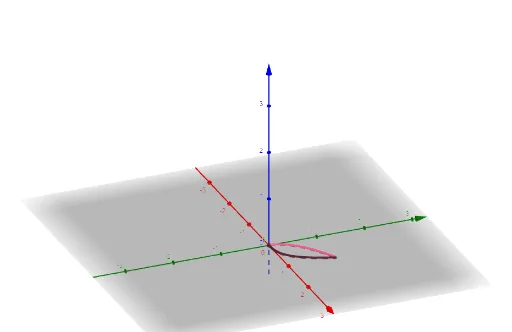
This example demonstrates how to visualize and calculate the volume between two surfaces using GeoGebra. Key math concepts include solid geometry, integration, function graphing, and volume computation. The construction utilizes commands like Surface, CurveCartesian, Segment, and Polygon. Suitable for high school and university students learning multivariable calculus and foundational mathematics.
GeoGebra Commands & Parameters
Surface(a, b, (4 * (a * b)), a, 0, 1, b, 0, 1) → cSurface(t, t^(3), (4 * t^(4)), t, 0, 1, r, 0, 4) → bSurface(t, sqrt(t), (4 * t^(1.5)), t, 0, 1, r, 0, 4) → aCurveCartesian(t, t^(3), t, 0, 1) → dCurveCartesian(t, t^(0.5), t, 0, 1) → eSegment(A, B) → gPolygon(A, B, D, C) → q1, a_1, b_1, d_1, c_1Surface(t, t^(3), r, t, 0, 1, r, 0, 4) → hSurface(t, t^(0.5), r, t, 0, 1, r, 0, 4) → i
AI Drawing Prompt Reference
Visualize two 3D surfaces: one defined by the product of x and y multiplied by 4, ranging from 0 to 1; the other by x cubed and x's square root, ranging from 0 to 4. Plot the intersection lines of these surfaces on the xy-plane and connect their intersections with the z-axis to form line segments. Connect these points to create a quadrilateral. Finally, use this quadrilateral as the top and bottom base to draw the volume between the two surfaces.
The prompt above was compiled from the original drawing commands and is for reference only.