
Volume and Lateral Area of a Box
Loading the math board and drawing, please wait…
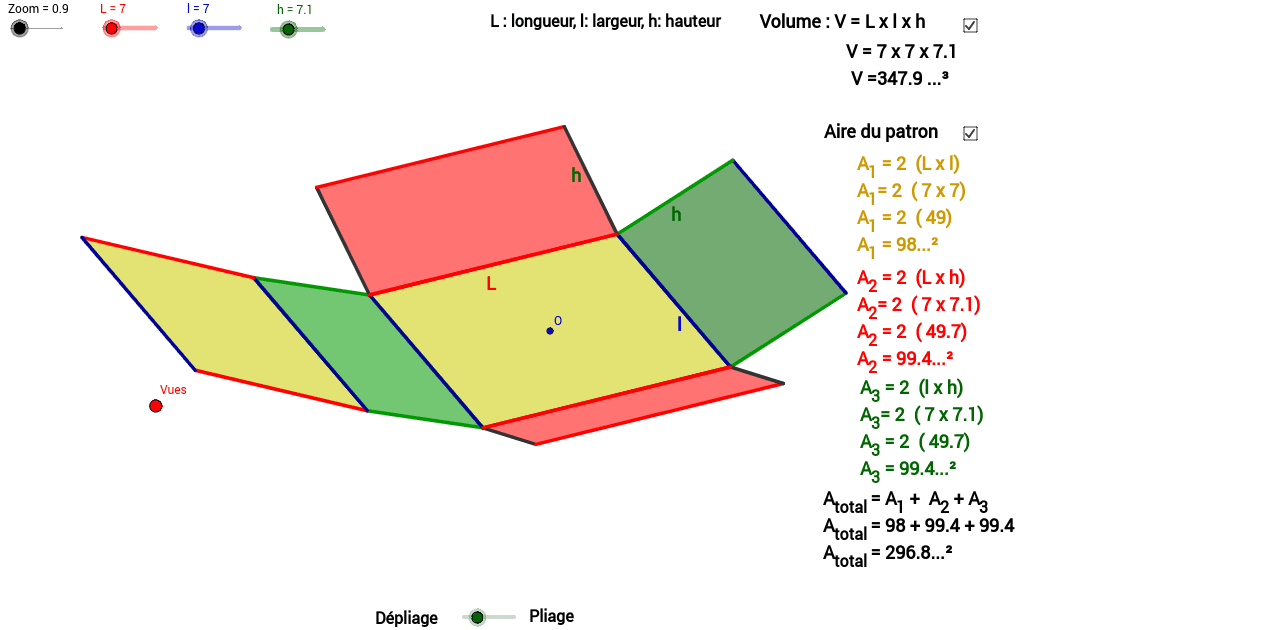
This example demonstrates the calculation of the volume and lateral area of a box using sliders and point of view. Key mathematical concepts include solid geometry, volume, and surface area. It utilizes vectors, trigonometric functions, and geometric objects such as points and lines. Suitable for middle school and above students to learn geometric construction and solid geometry concepts.
GeoGebra Commands & Parameters
Vector(B_1, X) → uVector(B_1, Z) → wOrthogonalLine(Vues, yAxis) → a_1OrthogonalLine(Vues, xAxis) → b_1Vector(B_1, Y) → vPolygon(L_1, K, N, M) → poly1, l_3, k_1, n, mPolygon(K, P, Q, N) → poly2, k_2, p, q, n_1Polygon(L_1, M, S, R) → poly3, l_1, m_1, s, rPolygon(N, V, W, M) → poly4, n_2, v_1, w_1, m_2Polygon(K, T, U, L_1) → poly5, k_3, t, u_1, l_2Polygon(B, Q, P, A) → poly6, b_2, q_1, p_1, a_2Midpoint(l_3) → CMidpoint(l_1) → DMidpoint(u_1) → EMidpoint(r) → F
AI Drawing Prompt Reference
Draw a rectangular box with six faces: bottom, top, front, back, left side, and right side. Use sliders to adjust the size of the box, and determine the center point of the box through the midpoints of points. Ensure each face is a rectangle and adjacent faces intersect at a line segment. Finally, calculate the volume and lateral area of the rectangular box.
The prompt above was compiled from the original drawing commands and is for reference only.