
Visualizing Triple Integral in Cylindrical Coordinates
Loading the math board and drawing, please wait…
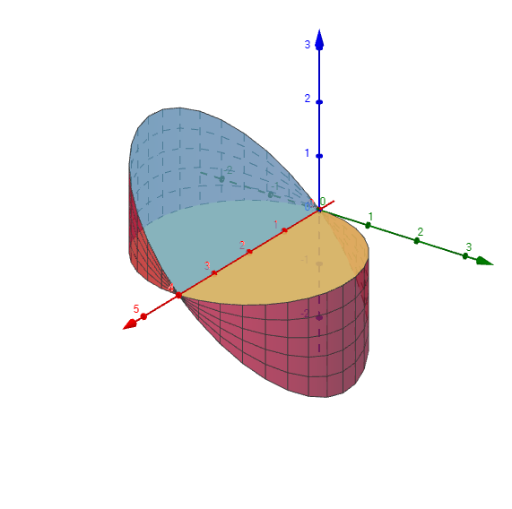
This example demonstrates how to visualize the integration region and the integrand function in cylindrical coordinates for a triple integral. The core mathematical concepts involved include cylindrical coordinates, triple integrals, integration regions, and integrand functions. The construction uses GeoGebra commands/objects such as Surface, Segment, and Polygon. It is suitable for university students in mathematics, physics, and related fields to learn and understand the concept and calculation of triple integrals.
GeoGebra Commands & Parameters
Surface(((f(θ) * cos(θ)) * r), ((f(θ) * sin(θ)) * r), 0, θ, 0, π, r, 0, 1) → bottomSurface((f(θ) * cos(θ)), (f(θ) * sin(θ)), (((-r) * f(θ)) * sin(θ)), θ, 0, π, r, 0, 1) → sidesSurface(((f(θ) * cos(θ)) * r), ((f(θ) * sin(θ)) * r), (((-r) * f(θ)) * sin(θ)), θ, 0, π, r, 0, 1) → topSegment(A, A + (r * (B - A))) → segmentPolygon({O, C, D}) → Polygon1Polygon({O, E, F}) → Polygon2