
Visualizing the Angle Sum Property of Quadrilaterals
Loading the math board and drawing, please wait…
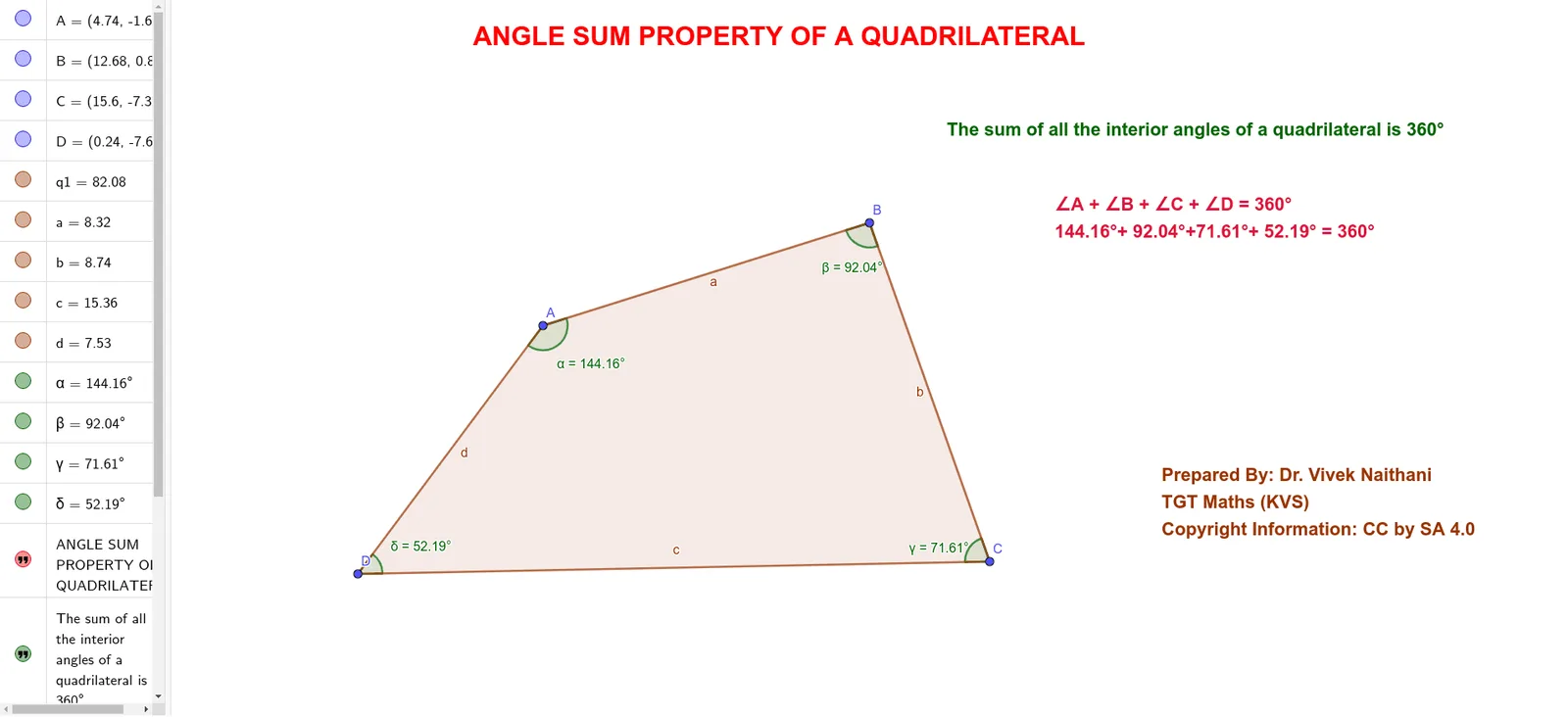
This example constructs a general quadrilateral in the plane and labels its four interior angles to visually demonstrate the invariant property that the sum of interior angles of any quadrilateral is always 360°. It focuses on the key geometry concepts of interior angles, angle measurement, and reasoning with sums of angles that remain constant even as the quadrilateral shape changes. In GeoGebra, the construction uses the Polygon command to create the quadrilateral from points A, B, C, and D, and the Angle command to measure and display the four interior angles (α, β, γ, δ) together with supporting angle-related objects such as q1 and a, b, c, d. Text objects (text1–text4) are used to present the measured angle values and the final angle-sum statement. Suitable for middle school geometry instruction, exploratory learning with dynamic geometry, and revision of quadrilateral angle properties.
GeoGebra Commands & Parameters
Polygon(A, B, C, D) → q1, a, b, c, dAngle(D, A, B) → αAngle(A, B, C) → βAngle(B, C, D) → γAngle(C, D, A) → δ
AI Drawing Prompt Reference
Draw a quadrilateral ABCD and measure and display the degree of its four interior angles α, β, γ, δ, and show the degree of each angle and the conclusion that the sum of the interior angles is 360 degrees next to the figure.
The prompt above was compiled from the original drawing commands and is for reference only.