
Visualizing Integer Addition on the Number Line
Loading the math board and drawing, please wait…
In collections
学习 GeoGebra 经典应用
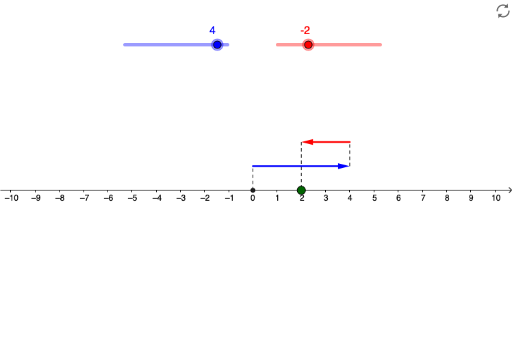
This example demonstrates integer addition through a dynamic number line, helping students visualize the addition process. Key mathematical concepts include number lines, integer operations, and dynamic geometry. Construction involves GeoGebra commands like Vector and Segment to create the number line and mark points. Suitable for elementary and middle school mathematics teaching to reinforce integer addition concepts and number line applications.
GeoGebra Commands & Parameters
Vector(A, B) → uVector(C, D) → vSegment(Z, A) → cSegment(B, C) → dSegment(D, R) → e
AI Drawing Prompt Reference
Draw a horizontal number line in a coordinate system and mark several key points on it. Use dynamic vectors to represent the addition of two integers, where one vector points from the origin to the position of the first integer and the other extends from that point to the position of the second integer, connecting these points with line segments to form a clear path, and use a slider to dynamically adjust the values of the integers.
The prompt above was compiled from the original drawing commands and is for reference only.