
Visualizing and Computing Binomial Distribution Probabilities
Loading the math board and drawing, please wait…
In collections
学习 GeoGebra 经典应用
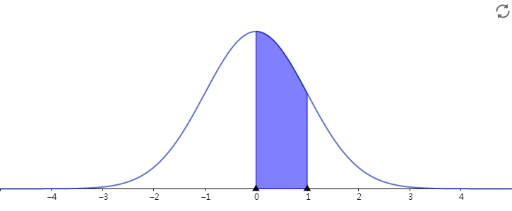
This example demonstrates how to calculate and visualize probabilities from the Binomial distribution for given numbers of trials and success probability. It centers on key concepts such as the Binomial Distribution, discrete probability, combinations (binomial coefficients), and the probability formula P(X=k)=C(n,k)·p^k·(1-p)^(n-k). The construction is aimed at linking the computed probability values to an understandable graphical representation (via function-based graphing or equivalent visual objects) so learners can observe how the distribution changes with parameters. With no explicit GeoGebra command list provided in the source, the implementation is expected to involve probability/statistics expressions, probability values as computed results, and a graphing layout to render the distribution shape and probability mass across k. Suitable for high school through introductory university probability and statistics, as well as self-study and interactive parameter exploration.
AI Drawing Prompt Reference
Draw a binomial distribution probability graph, including key objects such as the number of trials n, success probability p, number of successes k, and probability value P(X=k). The graph has x-axis representing the number of successes k and y-axis representing the probability value P(X=k). In the graph, draw the binomial distribution probability curve, labeling several typical probability values, such as P(X=0) and P(X=n).
The prompt above was compiled from the original drawing commands and is for reference only.