
Visual Exploration of Completing the Square
Loading the math board and drawing, please wait…
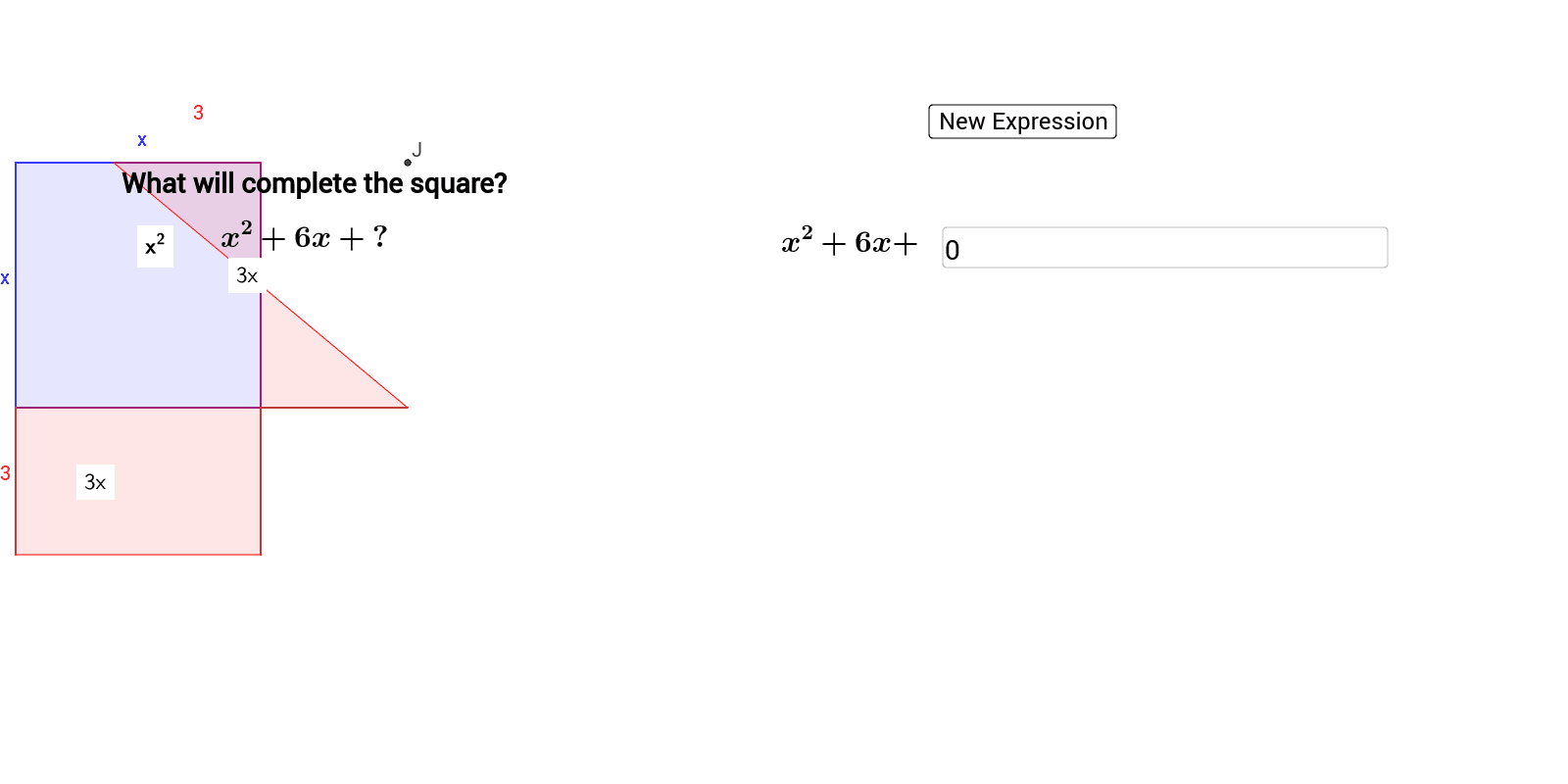
This example visually demonstrates the concept of completing the square in simplifying quadratic function expressions. It involves core math concepts like quadratic functions, squares, and geometric transformations including rotation. Constructed using GeoGebra commands such as RandomElement, Circle, Polygon, Ray, Point, Segment, PointIn, Intersect, and Textfield, it provides an interactive way to understand the geometric meaning of completing the square. Suitable for high school mathematics education.
GeoGebra Commands & Parameters
RandomElement({1, 2, 3, 4, 5, 6, 7, 8, 9, 10, 11, 12, 13, 14, 15}) → nRandomElement({1, 2, 3, 4, 5}) → aCircle(B, n) → pPolygon(A, B, 4) → poly1, b, c, d, e, C, DRay(C, B) → kPoint(Circle[A, abs(n)]) → FSegment(A, F) → gPoint(Circle[A, abs(n)]) → GSegment(A, G) → hPoint(Circle[D, abs(n)]) → HSegment(D, H) → iPolygon(A, D, H, G) → poly3, a_2, d_1, h_1, g_1Point(Circle[G, abs(n)]) → ISegment(G, I) → jPolygon(F, I, G, A) → poly4, f_2, i_1, g_2, a_3PointIn(poly1) → Pointpoly1_1PointIn(poly3) → Pointpoly3_1PointIn(poly4) → Pointpoly4PointIn(poly1) → Pointpoly1Intersect(p, k) → E, JPolygon(B, E, F, A) → poly2, b_1, e_1, f, a_1PointIn(poly2) → Pointpoly2_1PointIn(poly2) → Pointpoly2PointIn(poly3) → Pointpoly3Textfield(t) → inputBox1
AI Drawing Prompt Reference
Create a visual representation demonstrating the concept of completing the square to simplify quadratic function expressions, involving randomly generated circles, squares, and geometric transformations like rotation. Highlight core math ideas such as quadratic functions, squares, and geometric transformations. Show the process through interactive constructions: start with a random circle and square, then build new shapes via rotation and intersection, finally label key points and regions to illustrate the completing the square method and its outcome.
The prompt above was compiled from the original drawing commands and is for reference only.