
View and Modify Vector Components
Loading the math board and drawing, please wait…
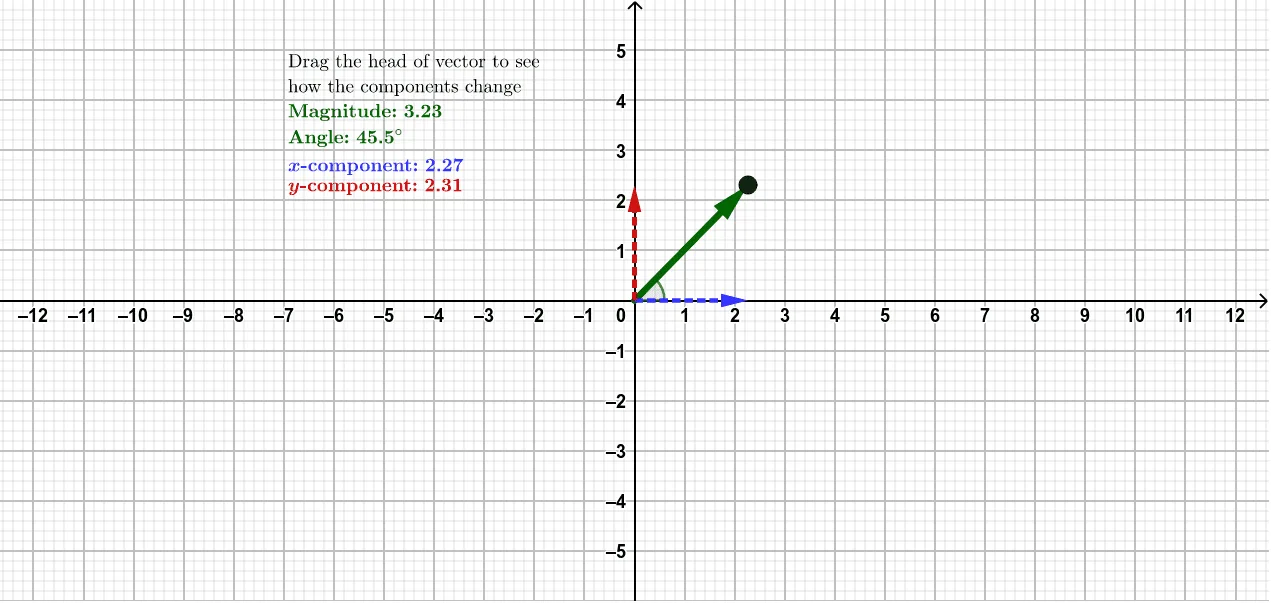
This example demonstrates how to modify and display a vector and its components. By adjusting the start and end points of the vector, you can observe the changes in the x and y components. Key mathematical concepts include vector representation and decomposition. The example uses Vector, Angle, text, and offset commands in GeoGebra. Suitable for high school mathematics education and learning about vector concepts.
GeoGebra Commands & Parameters
Vector(origin, VHead) → vectorVector(origin, (x(VHead), 0)) → xcomponentVector(origin, (0, y(VHead))) → ycomponentAngle(vector) → Angle
AI Drawing Prompt Reference
Draw a vector and its x and y components. First, set the start and end points of the vector. Then, draw the x component and y component based on the end point coordinates. Finally, calculate and display the angle between the vector and the x-axis.
The prompt above was compiled from the original drawing commands and is for reference only.