
Vectors With Optional Scale and Directions
Loading the math board and drawing, please wait…
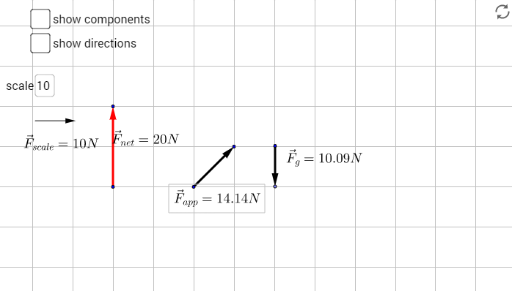
This example demonstrates vector drawing with optional scale and direction adjustments. It involves core mathematical concepts like vectors, statistical characteristics, geometric mean, Pythagorean theorem, hypothesis testing, and area calculation. Construction highlights include using commands and objects such as Vector, OrthogonalLine, Midpoint, Textfield, Distance, Point, Line, Intersect, Angle, Segment in GeoGebra. Suitable for high school students and educators for visualizing and exploring vector-related concepts.
GeoGebra Commands & Parameters
Vector(A, B) → uOrthogonalLine(A, yAxis) → fMidpoint(A, B) → DTextfield(scale) → InputBox1Distance(A, B) → distanceABPoint(u) → ELine(A, xAxis) → gOrthogonalLine(E, g) → hIntersect(g, h) → CAngle(C, A, E) → αSegment(A, C) → iVector(F, G) → vMidpoint(F, G) → HVector(I, J) → wMidpoint(I, J) → KDistance(I, J) → distanceIJLine(I, xAxis) → jOrthogonalLine(K, j) → kIntersect(j, k) → LSegment(I, L) → lAngle(L, I, K) → βOrthogonalLine(M, xAxis) → mPoint(m) → NVector(M, N) → bMidpoint(M, N) → ODistance(M, N) → distanceMNLine(R, xAxis) → nLine(S, xAxis) → pLine(P, yAxis) → qLine(Q, yAxis) → rPoint(q) → TVector(P, T) → cPoint(r) → UVector(Q, U) → dPoint(n) → VVector(R, V) → ePoint(p) → WVector(S, W) → tMidpoint(P, T) → ZMidpoint(Q, U) → A_1Midpoint(R, V) → B_1Midpoint(S, W) → C_1Distance(P, T) → distancePTDistance(Q, U) → distanceQUDistance(R, V) → distanceRVDistance(S, W) → distanceSW