
Vectors and Vector Line Equations #4 3D Component
Loading the math board and drawing, please wait…
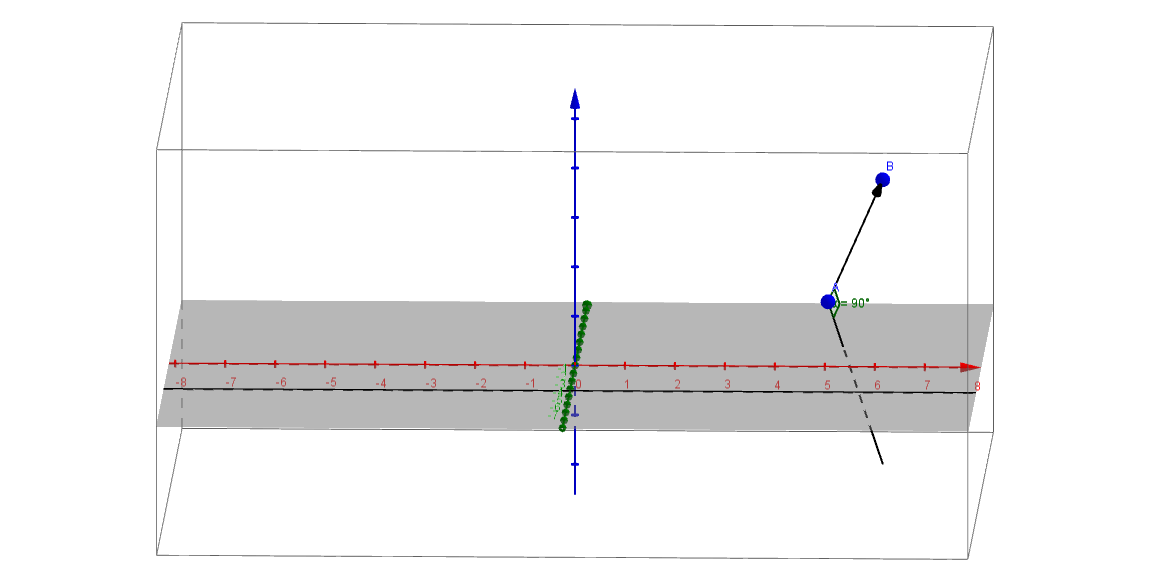
This example demonstrates how to construct and represent vector line equations in three-dimensional Cartesian coordinates using component form. It visually shows points in space, direction vectors, and the lines determined by them, while using vector operations and angle measurements to characterize geometric properties. Core mathematical concepts include 3D vector coordinates, vector addition and scalar multiplication, direction vectors, parametric equations, and the angle between vectors. Construction highlights: the Vector command is used to create vectors u and v, representing the line's direction and another reference vector; the Angle command measures the angle α between them; objects A, B, C are key spatial points, and a, b, c are corresponding coordinates or parameters defining moving points on the line. This example is suitable for senior high school or early university students learning spatial analytic geometry, helping them understand vector equations of lines in 3D, component forms, and applications of vector angles.
GeoGebra Commands & Parameters
Vector(A, B) → uVector(A, C) → vAngle(B, A, C) → α
AI Drawing Prompt Reference
Draw a line equation in 3D space using vectors u and v to represent direction, where vector u is defined by points A and B, and vector v is defined by points A and C. Measure the angle α between vectors u and v.
The prompt above was compiled from the original drawing commands and is for reference only.