
Vector Projections in 2D
Loading the math board and drawing, please wait…
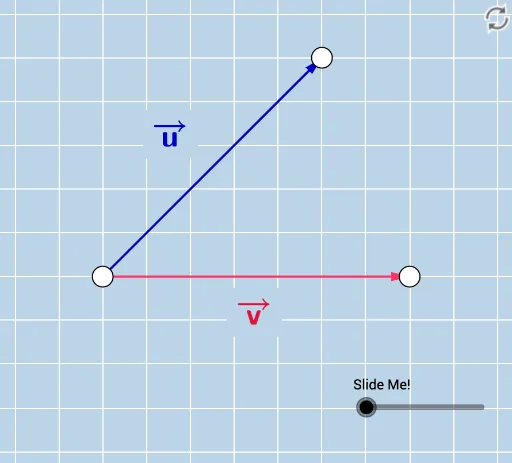
This example demonstrates projecting one vector onto another, illustrating the geometric and algebraic concepts involved. Key math concepts include vector projection, dot product, magnitude calculation, and orthogonality. Constructed using GeoGebra commands like Vector, Line, Point, OrthogonalLine, Intersect, etc. Suitable for high school students, university beginners, and educators teaching linear algebra or analytical geometry.
GeoGebra Commands & Parameters
Vector(A, B) → vLine(A, B) → fPoint(f) → CPoint(f) → DVector(A, E) → uOrthogonalLine(E, f) → gIntersect(f, g) → FVector(A, F) → wVector(F, E) → bAngle(E, F, A) → αRay(A, D) → hRay(B, C) → iLine(A, g) → jLine(B, g) → kCircle(A, 1 / 2) → dCircle(B, 1 / 2) → eIntersect(d, j, 1) → GIntersect(e, k, 1) → HDilate(G, If[0 < c ≤ 1, 1 - c, 0], H) → G'Dilate(A, If[0 < c ≤ 1, 1 - c, 0], F) → A'Vector(A, A') → mSegment(F, E) → nDistance(A, E) → distanceAEDistance(A, B) → distanceABDistance(G, G') → distanceGG'Intersect(e, k, 1) → IIntersect(e, k) → J, KIntersect(d, j) → L, MDilate(M, If[0 < c ≤ 1, 1 - c, 0], K) → M'Distance(M, K) → distanceMKAngle(E, A, B) → βPoint(f) → NRay(F, N) → lDistance(A, A') → distanceAA'SurdText(p) → text3Distance(O, P) → distanceOPSurdText(xx) → text6SurdText(yy) → text7