
Vector Addition with Triangles Demo
Loading the math board and drawing, please wait…
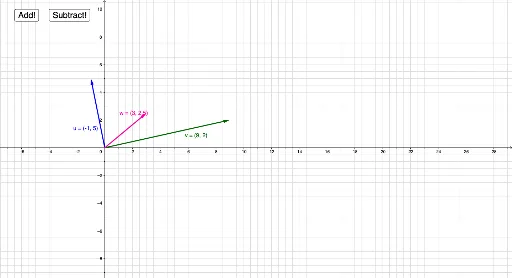
This example demonstrates vector addition using the triangle rule geometrically. It involves core math concepts like vectors, triangles, geometric construction, and angle calculations. Key GeoGebra commands used include Vector (to create vectors u, v, w, r), Export_1, Export_2 (for data export), add (vector addition), reset (to reset the figure), and subtract (vector subtraction). Suitable for high school mathematics learning, geometric construction practice, and physics applications involving vector superposition.
GeoGebra Commands & Parameters
Vector((-1, 5)) → uVector((9, 2)) → vVector((3, 2.5)) → w
AI Drawing Prompt Reference
Draw two vectors u and v with starting points at (-1, 5) and (9, 2) respectively, then use the triangle rule to find their resultant vector w, with w starting from the same point as v. First draw vector u, then draw vector v, and finally connect the endpoint of u to the endpoint of v to form vector w.
The prompt above was compiled from the original drawing commands and is for reference only.