
Vector Addition Training: Understanding Vector Operations through Geometry
Loading the math board and drawing, please wait…
In collections
Slippery surface
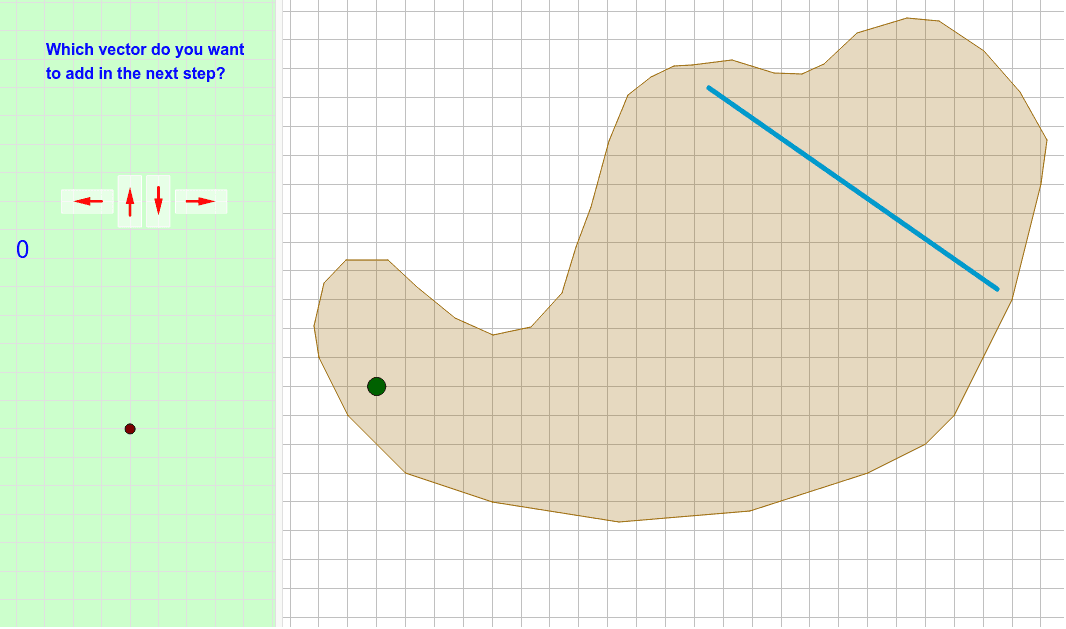
This example demonstrates how to train vector addition using geometric figures. The key mathematical concepts involved include vectors, vector addition, and geometric construction. Construction points include using commands like Polygon, Segment, Intersect, and Vector in GeoGebra. Suitable for middle or high school mathematics learners to understand the geometric meaning of vector operations.
GeoGebra Commands & Parameters
Polygon(E, F, B, N, O, R, S, T, U, V, W, Z, G, A_1, B_1, C_1, D_1, E_1, F_1, G_1, H_1, I_1, J_1, H, K_1, L_1, M_1, N_1, O_1, P_1, Q_1, R_1, I, J, K, L, M, A) → camino, c, m, p, q, i_1, s_1, t_1, c_2, d_2, e_2, f_2, d, g_2, h_2, j_2, k_2, l_2, m_2, n_2, p_2, q_2, r_2, e, s_2, t_2, a_3, b_3, c_3, d_3, e_3, f_3, g_3, f, g, h, j, k, lSegment(Q, P) → segmentoIntersect(segmento, camino) → corte, corte_1, corte_2, corte_3Segment(C, D) → llegadaIntersect(llegada, segmento) → corteganadorVector(ejemplo, ejemplopunta) → ejemplovectorPolyLine(listarastro) → rastroVector(controles + (1, 1), controles + (0, 1)) → izqVector(controles + (2, 0.5), controles + (2, 1.5)) → arrVector(controles + (3, 1.5), controles + (3, 0.5)) → abaVector(controles + (4, 1), controles + (5, 1)) → derVector(ejemplo, puntoexplicado) → vectorexplicado_1Vector(puntoexplicado, ejemplopunta) → vectorexplicado_2Vector(P, P + (i * (Q - P))) → segmentovisiblePolygon((0, 0), (0.8, 0), (0.8, 1.8), (0, 1.8)) → rectangulito, rectangulito_2, rectangulito_3, rectangulito_4, rectangulito_5Translate(Rotate[rectangulito, 90*°], controles + (5.4, 0.6)) → der_FTranslate(rectangulito, controles + (2.6, 0.1)) → aba_FTranslate(rectangulito, controles + (1.6, 0.1)) → arr_FTranslate(Rotate[rectangulito, 90*°], controles + (1.4, 0.6)) → izq_F
AI Drawing Prompt Reference
Draw a geometric figure to demonstrate vector addition, including multiple polygons, segments, and vectors. Start by drawing an irregular shape, then draw two segments and find their intersection point. Next, draw a vector from the intersection point and connect several key points with a polyline. Finally, add four directional vectors around the figure and create four identical rectangles using rotation and translation, placing them in each direction.
The prompt above was compiled from the original drawing commands and is for reference only.