
Vector Addition Demo
Loading the math board and drawing, please wait…
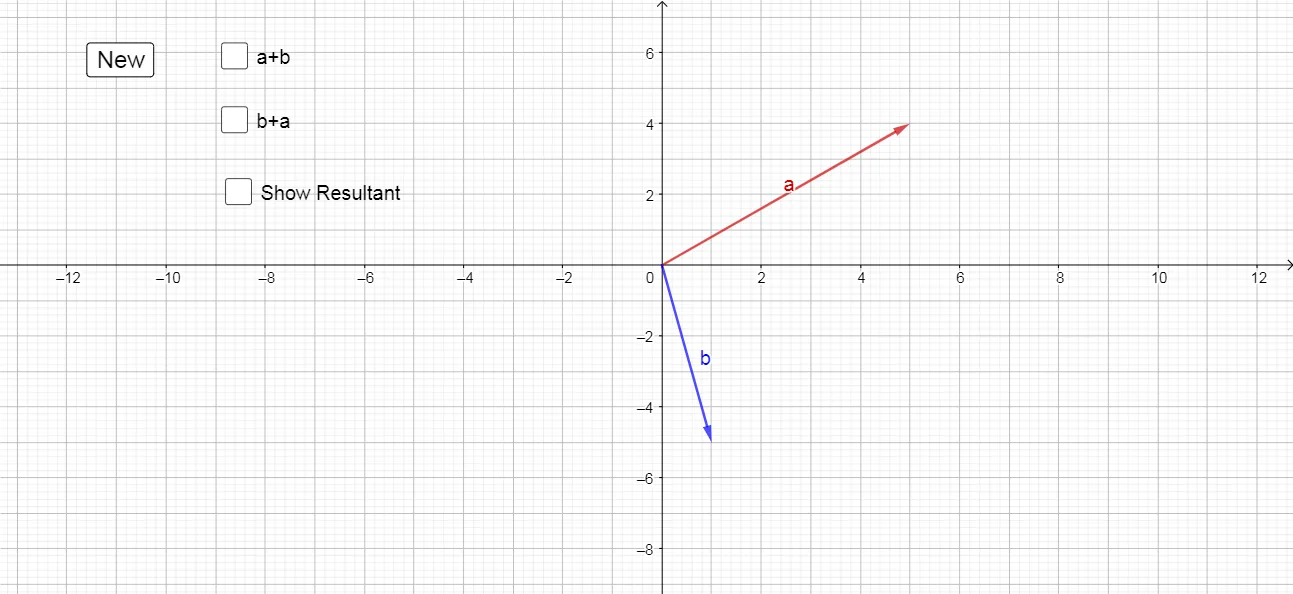
This example demonstrates vector addition in 2D space using both the parallelogram and triangle methods. It involves core math concepts like vectors, vector addition, 2D coordinates, and geometric constructions. Key GeoGebra commands used include Vector, Translate, and Midpoint. Suitable for high school students learning vector operations and geometric representations.
GeoGebra Commands & Parameters
Vector(A) → uVector(B) → vVector(C, C') → aVector(C', C'') → bVector(C, R) → ResVector(C, D') → wTranslate(D', u) → D''Vector(D', D'') → dMidpoint(C, C') → CMMidpoint(C, D') → DMMidpoint(C, R) → RM
AI Drawing Prompt Reference
Draw a 2D vector addition example, including vectors u and v, and their resultant vector Res. Use both the parallelogram and triangle methods to demonstrate vector addition. First, draw vectors u and v, then connect their endpoints to form a parallelogram. Next, draw vector Res. Finally, draw vector w and translate it to the endpoint of u to form a triangle, demonstrating another method of vector addition.
The prompt above was compiled from the original drawing commands and is for reference only.