
Dynamic Construction of Parallel Vectors
Loading the math board and drawing, please wait…
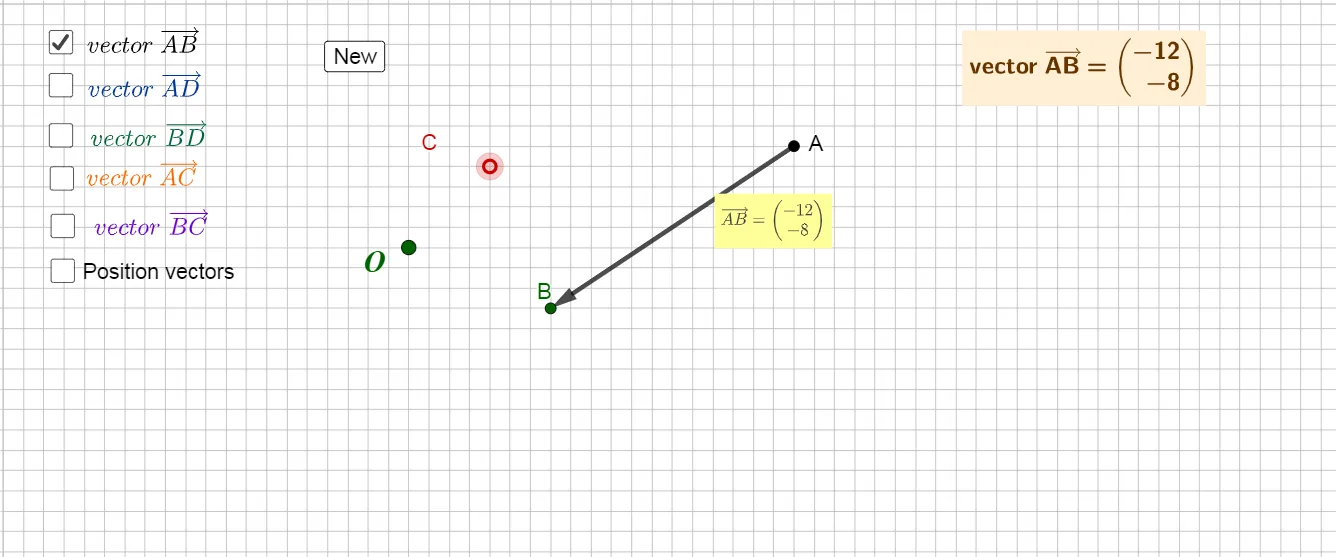
This example demonstrates, in an interactive geometry setup, how parallel vectors correspond to consistent directions and equal slopes of the related lines. It helps visualize the geometric meaning of the parallel condition and how it persists under parameter changes. Key concepts include vectors (direction and magnitude), the geometric criterion for parallelism (same direction or equal slope for the associated lines), and basic analytic geometry ideas using line equations and slope computation. The construction uses GeoGebra commands such as Vector to create vector objects from points, Point to define their endpoints, Line to form the corresponding lines, Slope to compute and compare slopes, and Distance to measure lengths like the separation between endpoints (e.g., distanceAB). RandomElement can be used to generate sample configurations, while the dynamic links between points, vectors, and lines keep the diagram updated. Typical objects involved are vector/point pairs (e.g., A, B with direction vectors like u and v), the constructed lines (such as L1/L2), and measurable quantities (distance and any ratio/parameter-like variables), enabling students to test and observe parallel behavior. Suitable for middle school through early university as a visual aid for vector geometry, coordinate geometry, and GeoGebra-based learning.
GeoGebra Commands & Parameters
Vector(A) → uVector(A, B) → ABPoint(u) → ODistance(A, B) → distanceABVector(B) → vLine(A, B) → L1Line(A, C) → L2Slope(L1) → s1Slope(L2) → s2Vector(A, C) → ACRandomElement(Ls) → l_{1}Vector(A, D) → ADVector(B, D) → BDVector(D) → wVector(C) → w_{2}RandomElement(Ls) → l1Vector(B, C) → BCLine(B, C) → L3Slope(L3) → s3
AI Drawing Prompt Reference
Draw a dynamic geometry diagram illustrating parallel vectors. Start with two free points as initial and terminal points. Create a vector from the initial point)Skip, then connect the two points with a line and measure the distance between them. From the initial and terminal points, construct two vectors with the same direction, and draw two parallel lines through these points, computing and comparing their slopes. Add a random point, then create vectors from it to the initial, terminal, and another reference point, and connect relevant points to form a third line, computing its slope. Keep all objects linked for interactive exploration.
The prompt above was compiled from the original drawing commands and is for reference only.