
Vector Addition by Jim Simons
Loading the math board and drawing, please wait…
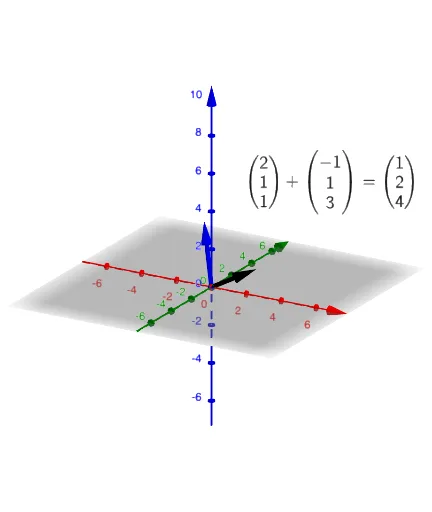
This example demonstrates vector addition in dimensions 1, 2, and 3. It involves core math concepts like vectors, centroid, translation, and triangles. Constructed using GeoGebra commands such as Vector for objects t, v, u, v1, v2, and interactive elements like button1, sw, w, w1, w2, u1, u2, with text objects text1, text1_1, text1_2 for explanations. Suitable for high school and above students to understand vector operations and geometric applications.
GeoGebra Commands & Parameters
Vector(((2 * t), (-t)), ((2 * t) - 1, (-t) + 2)) → v1Vector(((2 * t), t, t), ((2 * t) - 1, t + 1, t + 3)) → w1Vector(((4 * t), 0.1), ((4 * t) - 6, 0.1)) → u1Vector((0, -0.1), (-2, -0.1)) → u2
AI Drawing Prompt Reference
Create an educational diagram illustrating vector addition in one, two, and three dimensions. In the 2D plane, draw two vectors starting from a common point, with one vector's position controlled by a parameter, and connect them to form a triangle showing addition. In 3D space, show a similar vector combination with depth. On a 1D number line, use horizontal arrows to represent the sum of two vectors. All vectors are arrowed segments with labels indicating direction and magnitude. The layout is clear, suitable for high school students to understand vector operations.
The prompt above was compiled from the original drawing commands and is for reference only.