
Using the Style Bar in GeoGebra's Distribution Calculator
Loading the math board and drawing, please wait…
In collections
学习 GeoGebra 经典应用
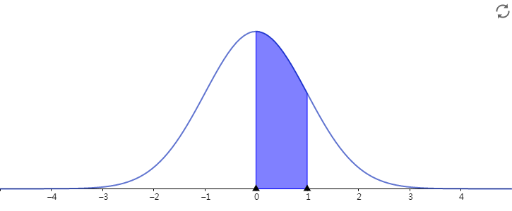
This example demonstrates how to use the Style Bar in GeoGebra's Distribution Calculator. It shows how to adjust the display styles of histogram, function graphs, and other elements. The core mathematical concepts include probability distributions, histogram plotting, function graph analysis, means calculation, and the application of cosine functions in probability models. Although the construction summary is not provided, it is inferred from the original site tags that the example involves the Histogram command, Function Graph plotting, and Style Bar operations. Suitable for high school and college students learning introductory statistics, helping them master graphical representation of probability distributions and improve data analysis and visualization skills.
AI Drawing Prompt Reference
Illustrate how to use the style bar to adjust the display styles of histograms, function graphs, and other elements in a distribution calculator, including probability distributions, histogram plotting, function graph analysis, mean calculation, and the application of cosine functions in probability models, suitable for high school and college students learning introductory statistics to master graphical representation and data analysis skills.
The prompt above was compiled from the original drawing commands and is for reference only.