
Using Normal Distributions for Experiment Analysis: Symmetry & Mean
Loading the math board and drawing, please wait…
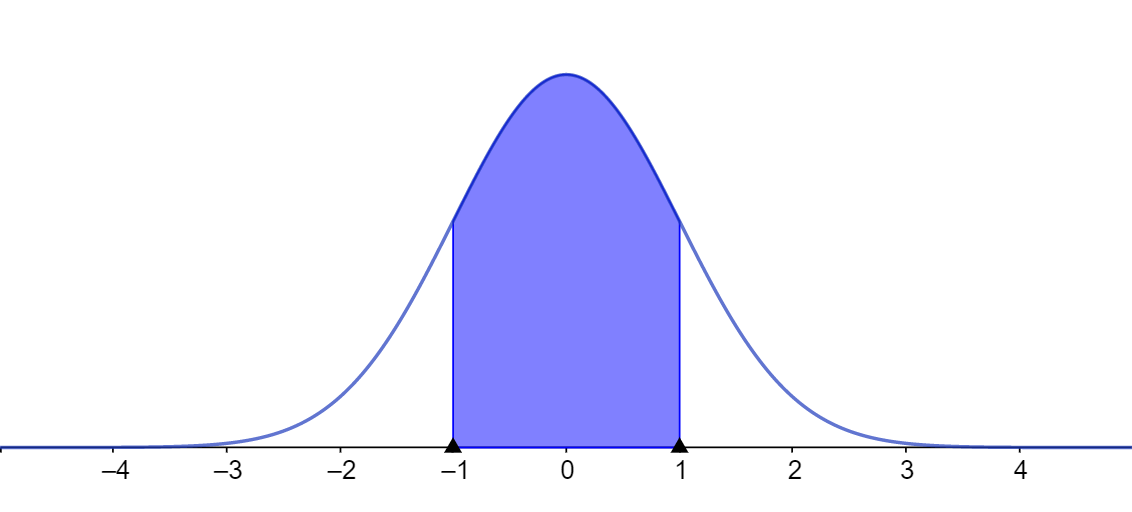
This example demonstrates how to analyze experimental results using the normal distribution, focusing on how the distribution’s symmetry and the mean help interpret data. Key mathematical ideas include the normal (Gaussian) distribution parameterized by mean and standard deviation, probability density visualization, and how parameters change the curve’s shape. The construction typically involves plotting the normal density function as a graph, marking the mean as the center of symmetry, and linking probability over intervals to geometric regions (e.g., trapezoid-like areas) often combined with step-function-style boundaries to represent ranges. Although the original GeoGebra command summary is not provided, a standard implementation in GeoGebra uses function-graph objects for the normal curve, parameterized inputs for mean/standard deviation, and additional polygon/region objects to make the area/probability relationship visually explicit. Suitable for upper-secondary and introductory university statistics, especially for modeling measurement data and gaining intuition for probability-based analysis.
AI Drawing Prompt Reference
Draw a normal distribution curve centered at the mean, symmetric on both sides. Shade the area under the curve to represent probability. Mark the mean point on the curve. Extend the curve to symmetric points. Use shading to indicate probability ranges. Ensure the curve is smooth, the mean is clearly marked, and the shaded areas are visible.
The prompt above was compiled from the original drawing commands and is for reference only.