
Unit Fractions Visualized: Exploring Fraction Decomposition with Rectangular Str
Loading the math board and drawing, please wait…
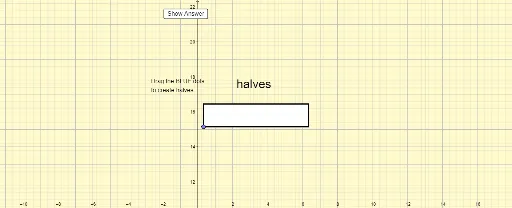
① This GeoGebra example dynamically visualizes unit fractions (fractions with numerator 1) using rectangular strips and dot grids, making the geometric meaning of fractions and their decomposition intuitive. ② Core mathematical concepts include unit fractions, fraction comparison, area models, Riemann sums (upper and lower sums), integers, and median values, bridging elementary fraction arithmetic with introductory calculus ideas. ③ Construction highlights: commands such as Random, Element, Sequence, Segment, Point, OrthogonalLine, Intersect, and Polygon are used to generate random fractions, build rectangular strips with vertical dividers, and create interactive controls via sliders (chooser, denominator) and buttons (showanswer, reset) for revealing answers and resetting the activity. ④ Suitable for upper elementary through middle school students learning fractions, and also valuable for high school classes introducing Riemann sums and integral concepts, serving as a hands-on, inquiry-based teaching tool.
GeoGebra Commands & Parameters
Random(5, 12) → lengthoftapeRandom(1, 6) → chooserElement(list2, chooser) → denominatorSequence((x(A) + (i * fractionwidth), y(A) + tapeheight), i, 0, denominator) → DotsTopSequence((x(A) + (i * fractionwidth), y(A)), i, 0, denominator) → DotsBottomSequence(Segment[Element[DotsBottom, i], Element[DotsTop, i]], i, 1, denominator + 1) → drawverticalsSegment(Element[DotsBottom, 1], Element[DotsBottom, denominator + 1]) → horizontalbottomSegment(Element[DotsTop, 1], Element[DotsTop, denominator + 1]) → horizontaltopSegment(Element[DotsBottom, 1], Element[DotsTop, 1]) → verticalleftSegment(Element[DotsBottom, denominator + 1], Element[DotsTop, denominator + 1]) → verticalrightPoint(horizontalbottom) → BPoint(horizontalbottom) → COrthogonalLine(C, horizontalbottom) → fPoint(horizontalbottom) → DPoint(horizontalbottom) → EPoint(horizontalbottom) → FPoint(horizontalbottom) → GPoint(horizontalbottom) → HPoint(horizontalbottom) → IPoint(horizontalbottom) → JPoint(horizontalbottom) → KOrthogonalLine(B, horizontaltop) → gOrthogonalLine(D, horizontaltop) → hOrthogonalLine(E, horizontaltop) → iOrthogonalLine(F, horizontaltop) → jOrthogonalLine(G, horizontaltop) → kOrthogonalLine(H, horizontaltop) → lOrthogonalLine(I, horizontaltop) → mOrthogonalLine(J, horizontaltop) → nOrthogonalLine(K, horizontaltop) → pIntersect(f, horizontaltop) → LIntersect(g, horizontaltop) → MIntersect(h, horizontaltop) → NIntersect(i, horizontaltop) → OIntersect(j, horizontaltop) → PIntersect(k, horizontaltop) → QIntersect(l, horizontaltop) → RIntersect(m, horizontaltop) → SIntersect(n, horizontaltop) → TIntersect(p, horizontaltop) → USegment(C, L) → qSegment(B, M) → rSegment(D, N) → sSegment(E, O) → tSegment(F, P) → aSegment(G, Q) → bSegment(H, R) → cSegment(I, S) → dSegment(J, T) → eSegment(K, U) → f_1Sequence(Element[DotsTop, i], i, 2, denominator) → DotsTopRevealedPolygon(Element[DotsBottom, 1], Element[DotsBottom, denominator + 1], Element[DotsTop, denominator + 1], Element[DotsTop, 1]) → poly1, g_1, h_1, i_1, j_1