
Unit Circle, Sine, and Cosine Interactive Demo
Loading the math board and drawing, please wait…
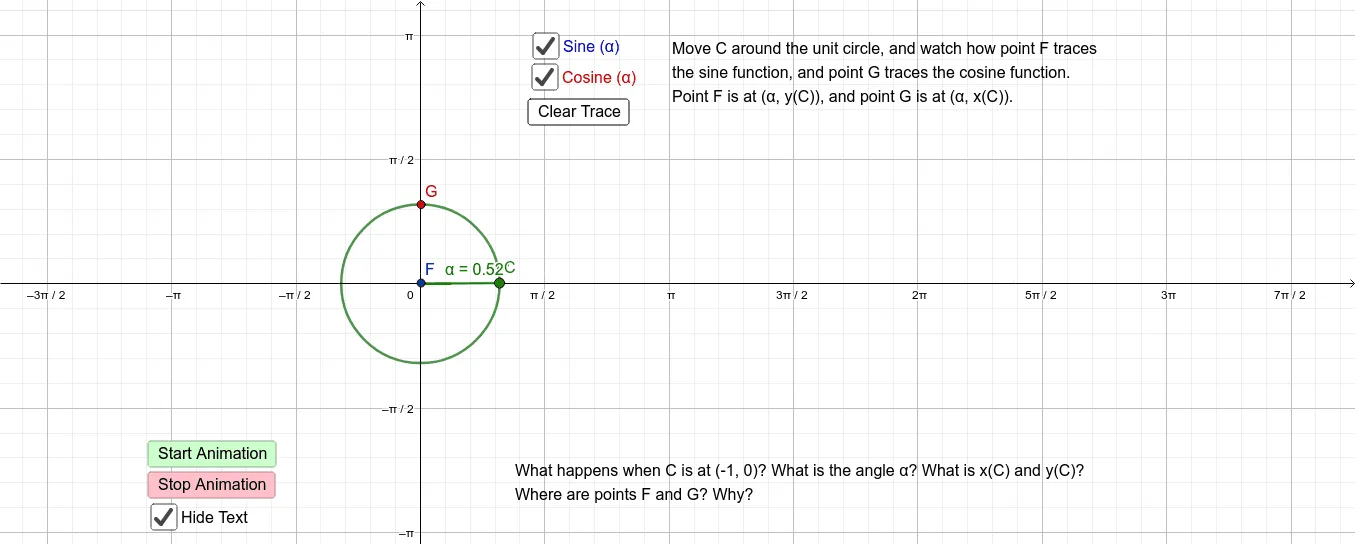
This GeoGebra example provides an interactive visualization of the unit circle and how the sine and cosine of an angle are defined geometrically. It demonstrates the relationship between a point moving on the unit circle, the angle subtended, and the coordinates (cos θ, sin θ). Core mathematical concepts include trigonometric functions, the unit circle, radian measure, and the connection between circular motion and periodic functions. The construction uses commands such as Intersect to find circle-axis intersections, Point to place a movable point on the circle, Circle to define the unit circle, Angle to measure the rotation, and Segment to draw the relevant sides. Buttons (button1, button2, button3) allow toggling different views or animations, while text objects display current values. This resource is ideal for high school trigonometry classes, pre-calculus review, or any learner seeking an intuitive grasp of sine and cosine as circular functions.
GeoGebra Commands & Parameters
Intersect(xAxis, yAxis) → APoint(yAxis) → BCircle(A, B) → cPoint(c) → CIntersect(c, xAxis, 2) → DAngle(D, A, C) → αSegment(A, C) → h
AI Drawing Prompt Reference
Draw a unit circle with a movable point on it, showing the line segment from the origin to the point. Also, draw the x-axis and y-axis intersection point, and draw a perpendicular line from the intersection point to the x-axis, forming a right triangle. Measure the angle between the line connecting the point and the origin and the x-axis, and display the sine and cosine values next to the angle, which correspond to the coordinates of the point. Add a slider to control the position of the point and display the angle in radians.
The prompt above was compiled from the original drawing commands and is for reference only.