
Unit Circle Exploration by Barbara E Jones (3)
Loading the math board and drawing, please wait…
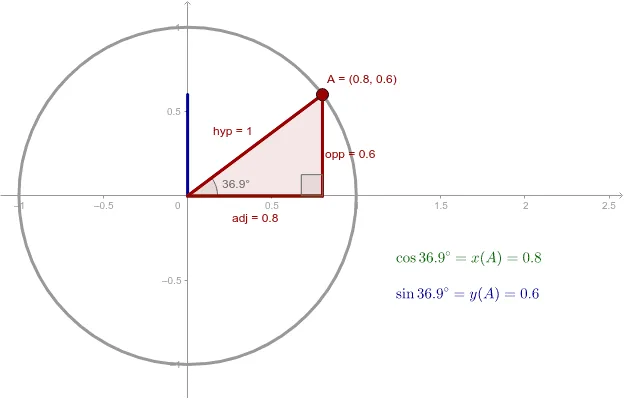
This example explores the unit circle by dragging a red point. The unit circle, with a radius of 1, is fundamental in mathematics. By constructing a circle, angle, polygon, etc., the concept of trigonometric functions can be visually understood. This example uses Circle, Angle, Polygon, etc., GeoGebra commands, suitable for middle school and above students to learn trigonometry and geometric construction.
GeoGebra Commands & Parameters
Intersect(xAxis, yAxis) → OPoint(xAxis) → BCircle(O, B) → cPoint(c) → AAngle(B, O, A) → αPolygon(O, C, A) → poly1, adj, opp, hypSegment(O, S) → sinαSegment(O, C) → cosαSegment(A, O) → aAngle(A, C, O) → β
AI Drawing Prompt Reference
Draw a unit circle to explore trigonometric functions by dragging a point on it. Start by creating point O at the intersection of the x-axis and y-axis, then take point B on the x-axis. Draw circle c with O as the center and B as the radius. Next, take point A on circle c and construct angle α. Use points O, C, and A to form triangle poly1 and label the adjacent side adj, opposite side opp, and hypotenuse hyp. Draw line segment sinα from O to a point S on the circle, line segment cosα from O to point C, and line segment a from A to O. Finally, construct angle β.
The prompt above was compiled from the original drawing commands and is for reference only.