
Unit Circle Demonstration by Andrew Langstone
Loading the math board and drawing, please wait…
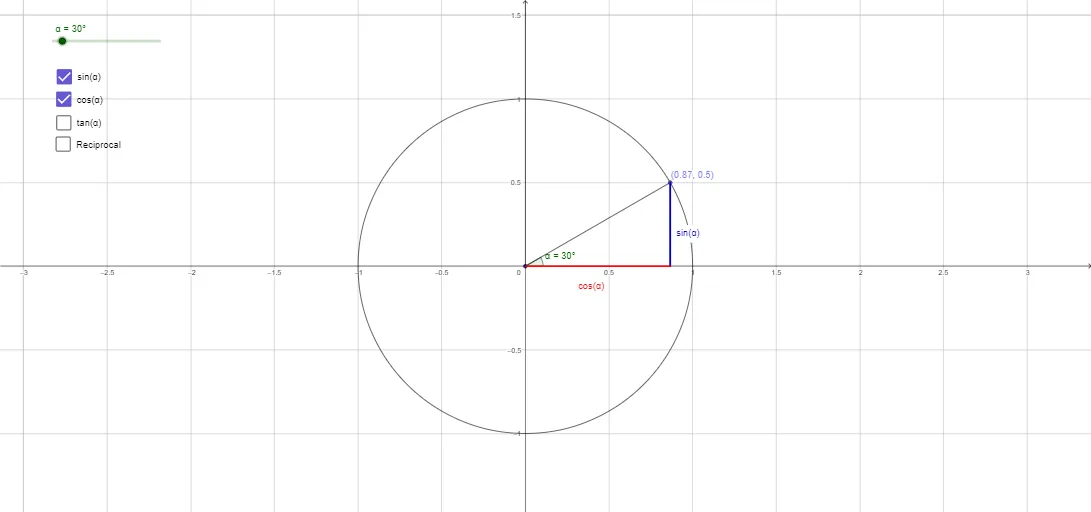
This example dynamically demonstrates the unit circle, illustrating the relationship between angles, trigonometric values, and coordinates of points. It involves core mathematical concepts such as the unit circle, trigonometric functions (sine, cosine), angles, vectors, and analytical geometry. Construction highlights include using GeoGebra commands like Circle, Point, Rotate, Angle, Segment, Tangent, Intersect, Distance, OrthogonalLine, and Line. Suitable for high school mathematics students and learners needing a visual understanding of the connection between trigonometric functions and the unit circle.
GeoGebra Commands & Parameters
Circle(A, 1) → cPoint(c) → BRotate(B, α, A) → B'Angle(B, A, B') → βSegment(A, B') → aTangent(B', c) → b,Intersect(b, xAxis) → CDistance(C, B') → distanceCB'OrthogonalLine(B', xAxis) → dIntersect(d, xAxis) → DSegment(A, C) → eDistance(B', D) → distanceB'DDistance(A, D) → distanceADSegment(B', D) → jSegment(B', D) → kSegment(A, D) → gPoint(g) → ESegment(B', C) → lIntersect(b, yAxis) → FSegment(F, E) → mSegment(F, E) → nSegment(E, C) → pSegment(F, B') → qIntersect(j, q) → GLine(F, G) → r
AI Drawing Prompt Reference
Draw a unit circle with a point on it, rotate the point by an angle to demonstrate the relationship between angles, trigonometric values, and coordinates. Connect the rotated point to the center, draw tangents intersecting the axes, calculate and display distances and orthogonal lines, then connect key points with auxiliary line segments to clearly illustrate the connection between trigonometric functions and the unit circle.
The prompt above was compiled from the original drawing commands and is for reference only.