
Unit 4: Fractions of Ropes
Loading the math board and drawing, please wait…
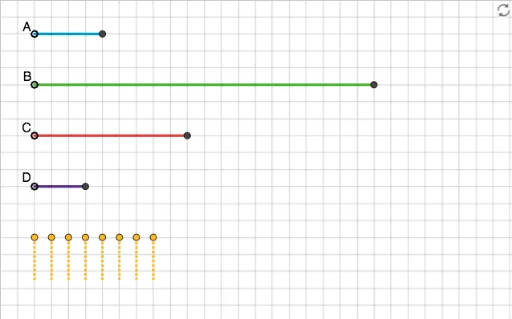
① This GeoGebra example dynamically demonstrates how to divide a rope (represented as a line segment) into fractional parts, while also showcasing related geometric constructions such as triangles and orthocenters. ② Core mathematical concepts include visual representation of fractions, proportional division, quadratic functions, geometric distribution, indefinite integrals, and orthocenter properties, bridging algebra and geometry. ③ Construction highlights: Based on the summary, the Segment command is used to create multiple segments (objects like A, E_1, E_2, D_1, etc.), involving points, lines, and polygons; users can drag points interactively to observe how fraction changes affect the entire figure. ④ Suitable for middle and high school students learning fractions and geometry, as well as for teachers to demonstrate the connection between fractional operations and geometric construction, enhancing intuitive understanding.
GeoGebra Commands & Parameters
Segment(E_1, I) → fSegment(E_2, J) → gSegment(D_1, K) → hSegment(E, L) → iSegment(F, M) → jSegment(G, H) → kSegment(G_1, P) → lSegment(F_1, Q) → mSegment(A, A') → nSegment(B, B') → pSegment(C, C') → qSegment(D, D') → r
AI Drawing Prompt Reference
Draw a line segment AB and divide it into several parts, such as 1/2 and 1/3. Also, draw triangles based on these division points and their orthocenters. You can drag the points on the line segment to change the division ratio and observe the changes in the triangles and orthocenters.
The prompt above was compiled from the original drawing commands and is for reference only.