
Understanding Square Roots: Geometric Exploration with GeoGebra
Loading the math board and drawing, please wait…
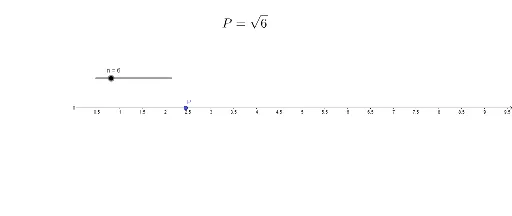
This GeoGebra example dynamically explores the concept of square roots through parameterized point construction and curve sketching. Using a variable slider n, point P traces a path that visually represents the square root function's behavior. Core concepts include square root operations, function graphing, parametric equations, and the connection to sequences and means. The construction leverages basic GeoGebra objects—number slider n, point P, and text label text1—to generate an interactive demonstration suitable for algebra and geometry lessons. Ideal for middle to high school students learning function properties, square root definitions, and graphical interpretation of algebraic operations.
GeoGebra Commands & Parameters
Numeric n(6)(sqrt(n), 0)
AI Drawing Prompt Reference
Create a graph with a variable n that controls the position of point P. As n increases from 0, point P moves along a path above the x-axis, with its y-coordinate equal to the square root of n. Use a numeric slider to adjust n, and set the coordinates of point P to (sqrt(n), 0). Label this as the graph of the square root function.
The prompt above was compiled from the original drawing commands and is for reference only.