
Two Triangles
Loading the math board and drawing, please wait…
In collections
Elementary Geometry
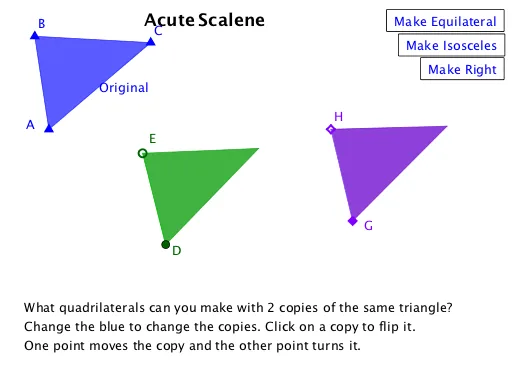
This example demonstrates constructing two triangles using rotation and mirroring operations. Key mathematical concepts include properties of triangles and geometric transformations. It utilizes commands like Polygon, Point, Rotate, and Mirror in GeoGebra. Suitable for middle school and above students to learn about geometric transformations and triangle properties.
GeoGebra Commands & Parameters
Polygon(A, B, C) → t1, c, a, bPoint(Circle[D, Segment[A, B]]) → ERotate(E + (Segment[B, C], 0), Angle[C - B] + Angle[E - D] - Angle[B - A], E) → FPolygon(D, E, F) → t2, f, d, eSort({a^(2), b^(2), c^(2)}) → L_1Rotate(C, Angle[C, A, B] - 90°, A) → CrPoint(Circle[G, Segment[A, B]]) → HRotate(H + (Segment[B, C], 0), Angle[C - B] + Angle[H - G] - Angle[B - A], H) → IPolygon(G, H, I) → t3, i, g, hMirror(F, Line[D, E]) → F'Polygon(D, E, F') → t2', m, n, pMirror(I, Line[G, H]) → I'Polygon(G, H, I') → t3', j, k, l
AI Drawing Prompt Reference
Draw two triangles, first create triangle ABC, then generate triangle DEF through rotation and mirroring operations, followed by constructing triangle GHI. Finally, mirror triangles DEF and GHI along lines DE and GH to generate new triangles F' and I'. Maintain the geometric properties and positional relationships of the triangles.
The prompt above was compiled from the original drawing commands and is for reference only.