
Two-Digit Counting: Interactive Bases 2-10
Loading the math board and drawing, please wait…
In collections
Place Value
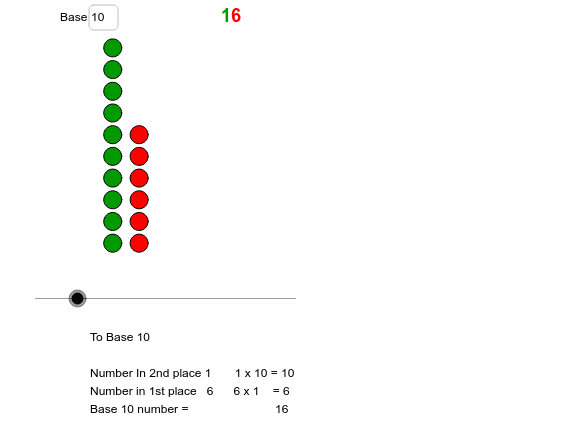
① This GeoGebra example demonstrates two-digit counting across number bases from 2 to 10 using interactive input fields and dynamic text displays, making the concept of place value and base systems tangible. ② Core mathematical concepts include place value (ones and tens), base (radix), positional notation, and conversions between different bases, forming a foundation for number theory and arithmetic. ③ Construction details: The example employs the Sequence command to generate number sequences, a Textfield for user input, and variables such as base, m, tens, and ones to control the base and digit values. Objects like list1, list2, and text1 through text4 dynamically update to show counting results and relationships. ④ Suitable for upper elementary to middle school students, this interactive tool serves as a classroom aid for teaching number bases, supporting both teacher demonstrations and student self-exploration to grasp the underlying patterns of different counting systems.
GeoGebra Commands & Parameters
Sequence((tens + 1, o), o, 1, ones) → list1Textfield(base) → inputBox1Sequence(Sequence[(t, o), o, 1, base], t, 1, tens) → list2
AI Drawing Prompt Reference
Create an interactive counting diagram for two-digit numbers across bases 2 to 10. Include an input field to set the base, and controls to adjust the tens and ones digits. The main visual consists of two dot arrays: one row of dots representing the ones digit, and a grid of rows (each with dots equal to the base) representing the tens digit. Display dynamic text labels showing the current base, tens digit, ones digit, and the equivalent decimal value, making place value and base conversion visually clear. The layout should be clean and educational.
The prompt above was compiled from the original drawing commands and is for reference only.