
Tutorial on Modulus, Round, and Sequence Commands for Graphical Control
Loading the math board and drawing, please wait…
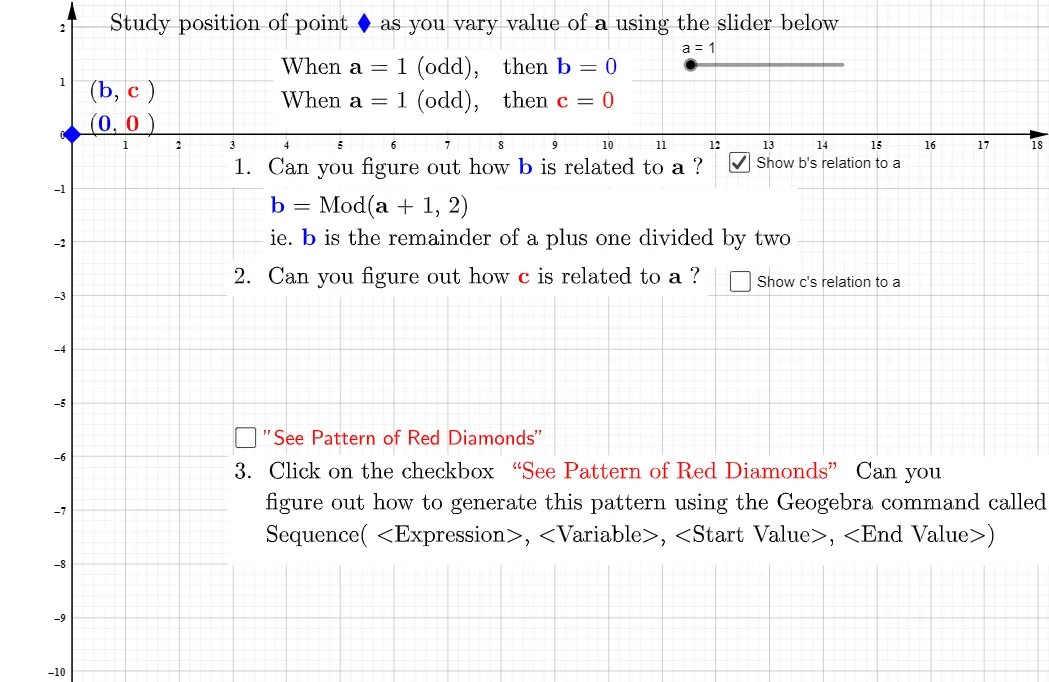
This example demonstrates the use of modulus, round, and sequence commands for graphical control in Cartesian coordinates. These commands allow for the creation of complex patterns and dynamic graphics. The core mathematical concepts involved include modulus operations, rounding, sequence generation, and coordinate geometry. Key construction points involve using the Mod command for modulus operations, the Sequence command to generate sequences, and combining these commands to control graphical display. Suitable for high school and above mathematics learners to understand the application of these commands in graphical drawing.
GeoGebra Commands & Parameters
Mod(a + 1, 2) → bSequence((Mod[i + 1, 2], 1 - round(i / 2, 0)), i, 1, a) → RedDiamondPattern
AI Drawing Prompt Reference
Draw a pattern in Cartesian coordinates to demonstrate the use of modulus, rounding, and sequence commands for graphical control. Start by creating a periodic numerical sequence using modulus operations, then adjust this sequence with rounding operations, and finally generate a series of dynamically changing points using the sequence command to form a complex pattern, showcasing the application of mathematical concepts in graphical drawing.
The prompt above was compiled from the original drawing commands and is for reference only.