
Trigonometry & Integral Calculus Demo
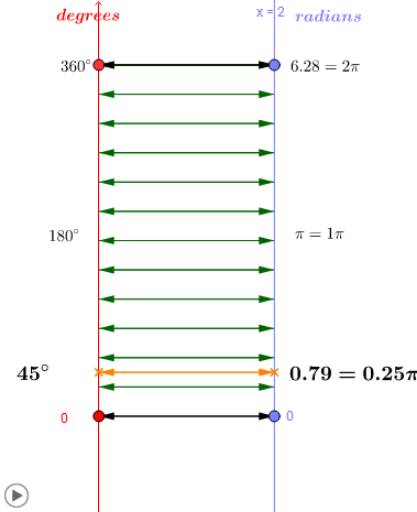
Loading the math board and drawing, please wait…
In collections
Mapping Diagrams: From AB to C&DE, Resource
This example dynamically demonstrates trigonometric functions and integral calculations, visually showcasing the relationship between functions and graphics. It involves core math concepts like trigonometry, integral calculus, limits, vectors, and coordinate geometry. Construction highlights include commands/objects such as Point, Textfield, Vector, Segment, Line, Intersect, Sequence, Zip, Circle, CircleArc, Angle. Suitable for high school students and math enthusiasts to understand the application of calculus and trigonometry.
GeoGebra Commands & Parameters
Point(a) → GPoint(yAxis) → DPoint(a) → CPoint(yAxis) → ATextfield(f_1) → inputBox1Vector(x_1, y_1) → vSegment(f_x, F) → cSegment(E, F) → dSegment(A, x_1) → eSegment(B, y_1) → gSegment(B, y_1) → hLine(x_1, y_1) → iLine(A, B) → kIntersect(i, k) → FocusVector(A, C) → uVector(D, G) → wVector(C, A) → zVector(G, D) → pLine(D, G) → qSequence(N) → ListNZip(y(D) + (k / N * (y(A) - y(D))), k, ListN) → xlistZip(f(s), s, xlist) → ylistZip(Vector[(0, s), (x(B), u)], s, xlist, u, ylist) → xyArrZip(Vector[(x(B), u), (0, s)], s, xlist, u, ylist) → yxArrPoint(yAxis) → HVector(H, I) → mVector(I, H) → rCircle((0, 0), 1) → sPoint(s) → KSegment(J, K) → tCircleArc(J, K, L) → c_1Segment(J, L) → a_1Angle(K, J, L) → α
AI Drawing Prompt Reference
Create a dynamic visualization of trigonometric functions and integral calculations, showing the relationship between functions and graphics. Start by plotting points and vectors on the coordinate axes, then draw line segments and triangles, labeling key points and angles. Next, generate function graphs based on expressions and use integral calculations to show the area relationship between the function and the图形. Finally, add circles and arcs, and label angles to fully demonstrate the application of trigonometry and calculus.
The prompt above was compiled from the original drawing commands and is for reference only.