
Trigonometry and Unit Circle
Loading the math board and drawing, please wait…
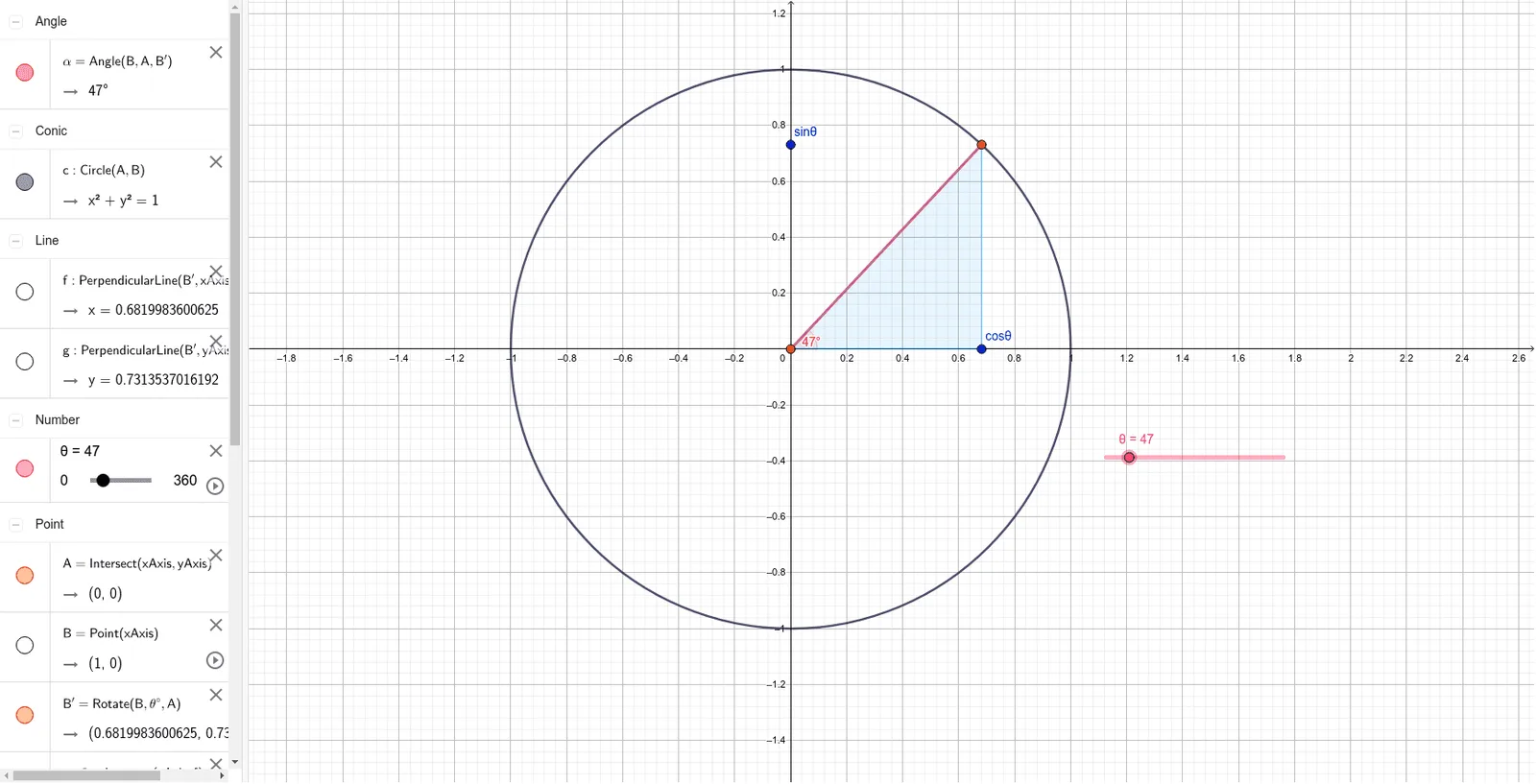
This example dynamically demonstrates the relationship between points on the unit circle and trigonometric values, visually illustrating the definition of trigonometric functions. Core concepts include the unit circle, trigonometric functions (sine, cosine), angles, and vectors. It utilizes GeoGebra commands such as Intersect (intersection), Point (point), Circle (circle), Rotate (rotation), Segment (segment), OrthogonalLine (perpendicular line), Polygon (polygon), and Angle (angle). Suitable for high school mathematics teaching, helping students understand the geometric meaning of trigonometric functions, ideal for student exploration or classroom demonstration.
GeoGebra Commands & Parameters
Intersect(xAxis, yAxis) → APoint(xAxis) → BCircle(A, B) → cRotate(B, θ°, A) → B'Segment(A, B') → radiusOrthogonalLine(B', xAxis) → fIntersect(xAxis, f) → cosθOrthogonalLine(B', yAxis) → gIntersect(yAxis, g) → sinθPolygon(A, B', cosθ) → t1, h, a, cosineAngle(B, A, B') → α
AI Drawing Prompt Reference
Draw a unit circle and select a point B on it, rotate B around point A to get B', draw a radius from A to B', construct a perpendicular line f from B' to the x-axis, and mark the intersection with the x-axis as cosθ for cosine value, construct a perpendicular line g from B' to the y-axis, and mark the intersection with the y-axis as sinθ for sine value, then draw a triangle connecting A, B', and cosθ to represent the cosine value, and finally measure the angle α between B, A, and B'.
The prompt above was compiled from the original drawing commands and is for reference only.