
Trigonometric Ratios in the First Quadrant
Loading the math board and drawing, please wait…
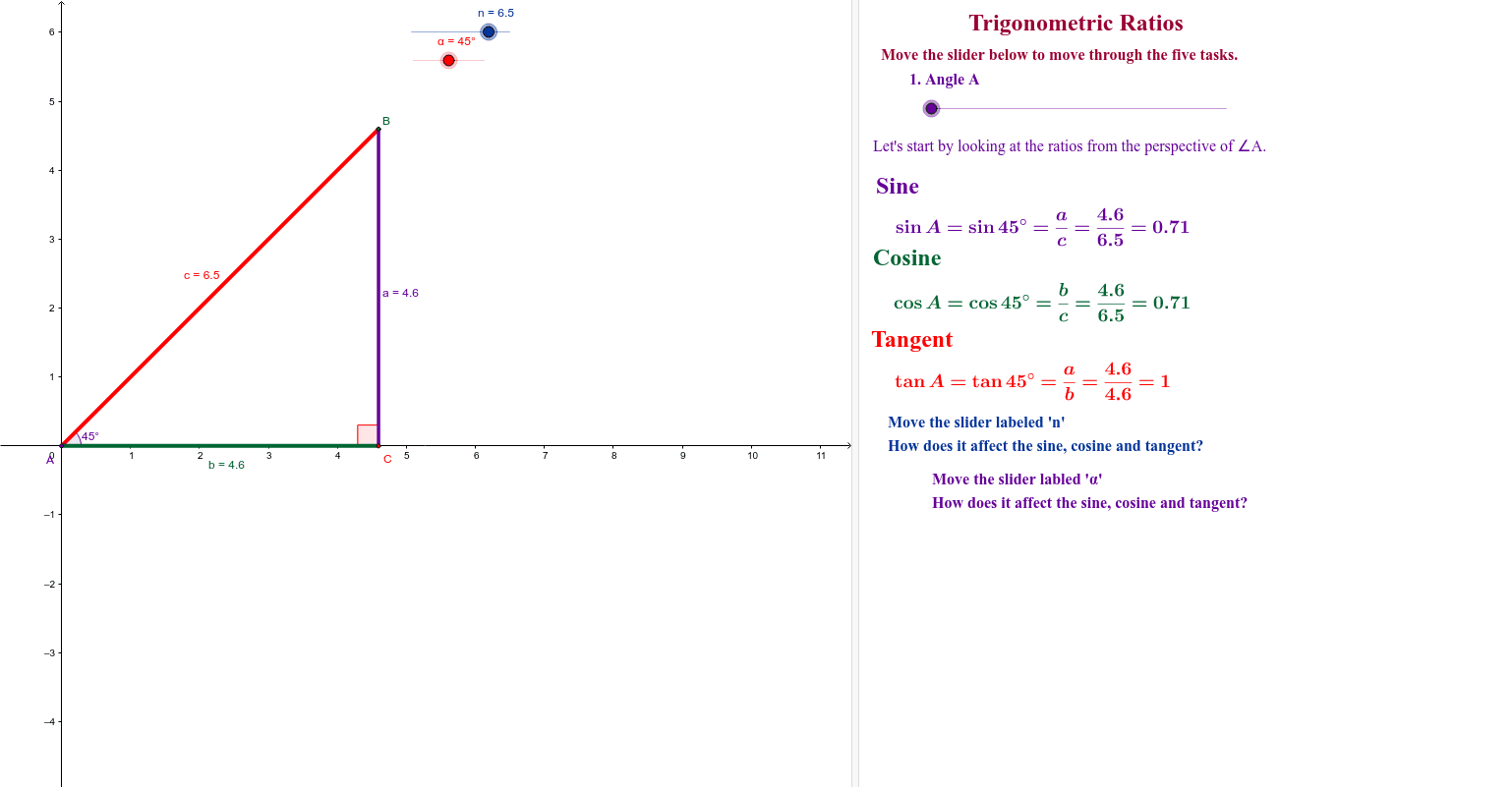
This example demonstrates trigonometric ratios in the first quadrant. It involves core concepts of trigonometry, showing the values of sine, cosine, and tangent through the construction of a circle, angles, and polygons. GeoGebra commands used include Intersect, CircleArc, Segment, Angle, and Polygon. Suitable for students in middle school and above to learn the basic properties of trigonometric functions.
GeoGebra Commands & Parameters
Intersect(xAxis, yAxis) → ACircle(A, n) → c_1Intersect(c_1, xAxis, 2) → B_1Point(c_1) → C_1CircleArc(A, B_1, C_1) → dSegment(A, B) → cSegment(A, C) → bSegment(B, C) → aAngle(C, A, B) → βAngle(A, B, C) → γAngle(B, C, A) → δPolygon(D, E, F) → poly1, f_1, d_1, e_1Angle(F, D, E) → εAngle(D, E, F) → ζAngle(E, F, D) → η
AI Drawing Prompt Reference
Draw a circle in a coordinate system and mark its intersections with the x-axis and y-axis in the first quadrant. Connect these points to form triangles and quadrilaterals, labeling the angles of the shapes to demonstrate sine, cosine, and tangent values.
The prompt above was compiled from the original drawing commands and is for reference only.