
Trigonometric Ratios in Right Triangles by Austin Garvin
Loading the math board and drawing, please wait…
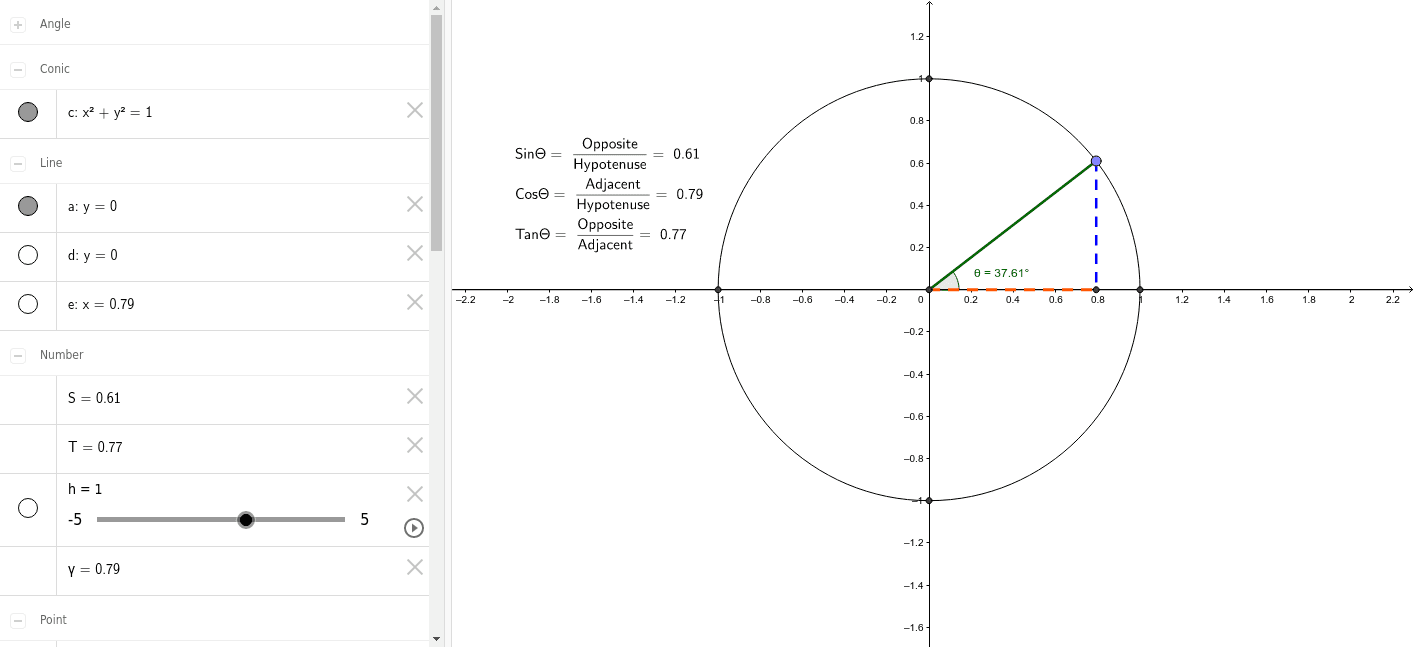
This example demonstrates the relationships of trigonometric ratios in right triangles. Key mathematical concepts include sine, cosine, and tangent. Using commands from the construction summary, right triangles are created and various objects such as points, lines, and circles are used to illustrate these functions. Suitable for students in middle school and above to learn the basic concepts of trigonometric functions.
GeoGebra Commands & Parameters
Intersect(xAxis, yAxis) → BCircle(B, A_1) → cPoint(xAxis) → CLine(B, C) → aIntersect(a, xAxis) → DIntersect(a, xAxis) → E_1Intersect(a, xAxis) → FIntersect(c, a) → G, HIntersect(a, xAxis) → IPoint(c) → ASegment(A, B) → HypotenuseLine(B, H) → dOrthogonalLine(A, d) → eIntersect(a, d) → EIntersect(e, a) → JSegment(A, J) → OppositeSegment(B, J) → AdjacentIntersect(c, yAxis, 2) → KIntersect(c, yAxis, 1) → LAngle(H, B, A) → θAngle(A, J, B) → α
AI Drawing Prompt Reference
Draw a right triangle with its hypotenuse and right angle marked. Inside the triangle, draw a circle centered at the right angle vertex. Connect the intersection points of the circle with the x-axis to the right angle vertex. From the intersection points on the hypotenuse, draw perpendicular lines to the x-axis. Mark the feet of these perpendiculars and label the segments from the right angle vertex to these points. Finally, label the three angles of the triangle with different colors or symbols.
The prompt above was compiled from the original drawing commands and is for reference only.