
Trigonometric Ratios Exploration: Sine, Cosine, and Tangent in Right Triangles
Loading the math board and drawing, please wait…
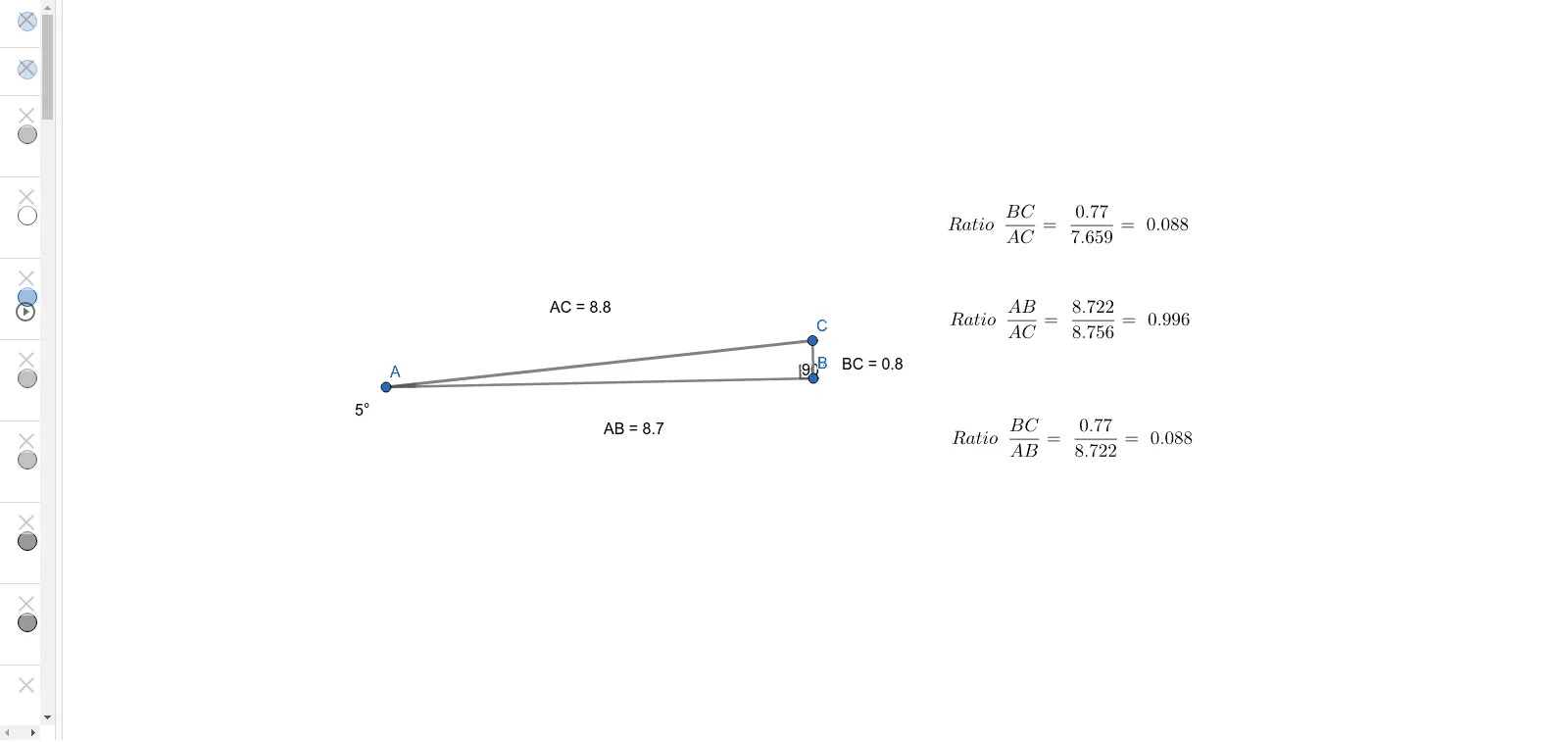
① This GeoGebra example dynamically demonstrates the definitions of trigonometric ratios (sine, cosine, tangent) in a right triangle, allowing users to drag vertices and observe how the ratios change with the angle. ② Core mathematical concepts include right-triangle trigonometry, the Pythagorean theorem, relationships between angles and side lengths, and the geometric meaning of trigonometric ratios. ③ Construction highlights: using GeoGebra commands such as Segment, OrthogonalLine, Point, Angle, Distance, and Midpoint to build the right triangle; text objects (TextAB, TextBC, TextAC) display side lengths and computed ratios in real time; multiple similar triangles (A_1, B_1, etc.) are included to compare ratios across different angles. ④ Suitable for upper middle school or early high school students learning introductory trigonometry, and useful for classroom demonstrations or self-guided exploration to deepen understanding of how trigonometric ratios depend on angle measures.
GeoGebra Commands & Parameters
Segment(A, B) → fOrthogonalLine(B, f) → gPoint(g) → CSegment(B, C) → hSegment(A, C) → iAngle(C, A, B) → αAngle(C, B, A) → βDistance(A, B) → distanceABMidpoint(A, B) →Distance(B, C) → distanceBCMidpoint(B, C) →Distance(A, C) → distanceACMidpoint(A, C) →Segment(A_1, B_1) → f_1OrthogonalLine(B_1, f_1) → g_1Point(g_1) → C_1Segment(B_1, C_1) → h_1Segment(A_1, C_1) → i_1Angle(C_1, A_1, B_1) → α_1Angle(C_1, B_1, A_1) → β_1Distance(A_1, B_1) → distanceAB_1Distance(B_1, C_1) → distanceBC_1Distance(A_1, C_1) → distanceAC_1Segment(A_2, B_2) → f_2OrthogonalLine(B_2, f_2) → g_2Point(g_2) → C_2Segment(B_2, C_2) → h_3Segment(A_2, C_2) → i_3Angle(C_2, A_2, B_2) → α_3Angle(C_2, B_2, A_2) → β_3Distance(A_2, B_2) → distanceAB_3Distance(B_2, C_2) → distanceBC_2Distance(A_2, C_2) → distanceAC_2Segment(A_3, B_3) → f_3OrthogonalLine(B_3, f_3) → g_3Point(g_3) → C_3Segment(B_3, C_3) → h_2Segment(A_3, C_3) → i_2Angle(C_3, A_3, B_3) → α_2Angle(C_3, B_3, A_3) → β_2Distance(A_3, B_3) → distanceAB_2Distance(B_3, C_3) → distanceBC_3Distance(A_3, C_3) → distanceAC_3
AI Drawing Prompt Reference
Draw a right triangle with one horizontal leg, one vertical leg, and a hypotenuse connecting their endpoints. Mark the right angle and display the lengths of all three sides. Then create three additional similar right triangles, each with a different acute angle but the same right-angle structure. Label the acute angle in each triangle and show the side lengths. Arrange all four triangles side by side or staggered to compare how the side ratios change with the angle.
The prompt above was compiled from the original drawing commands and is for reference only.