
Trigonometric Functions and Plane Transformations
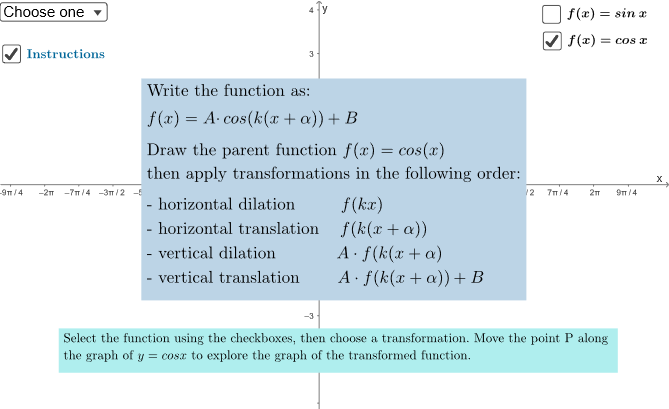
Loading the math board and drawing, please wait…
In collections
Trigonometry and Complex Numbers
Trigonometry and Complex Numbers
Trigonometry and Complex Numbers
① This example demonstrates applying translations, rotations, reflections, and other plane transformations to trigonometric function graphs in real time. ② Core concepts include trigonometric functions (sine, cosine, tangent), geometric transformations of function graphs, vector and midpoint operations, and mirror symmetry. ③ Construction highlights: commands Point, Vector, Midpoint, Mirror, SelectedIndex create points a, s, b, O, P, B, C, D, E, F, G, H, I and text objects testo1‑testo19; sliders k, u, h, t, f, A, Tipo, is drive dynamic manipulation. ④ Suitable for high‑school trigonometry lessons, college pre‑calculus, and interactive exploration of geometric transformations.
GeoGebra Commands & Parameters
Point(s) → PVector(P, C) → vMidpoint(P, C) → DVector(P, E) → uMirror(P, yAxis) → ASelectedIndex(Tipo) → is
AI Drawing Prompt Reference
Draw a sine function graph and apply transformations such as translation, rotation, and reflection. Start by creating point P and C, then create vector v from P to C. Find the midpoint D of P and C, and create vector u from P to E. Reflect point P over the y-axis to get point A. Use sliders to adjust the transformation parameters and observe the changes in the graph.
The prompt above was compiled from the original drawing commands and is for reference only.