
Trig Ratios Unit Circle
Loading the math board and drawing, please wait…
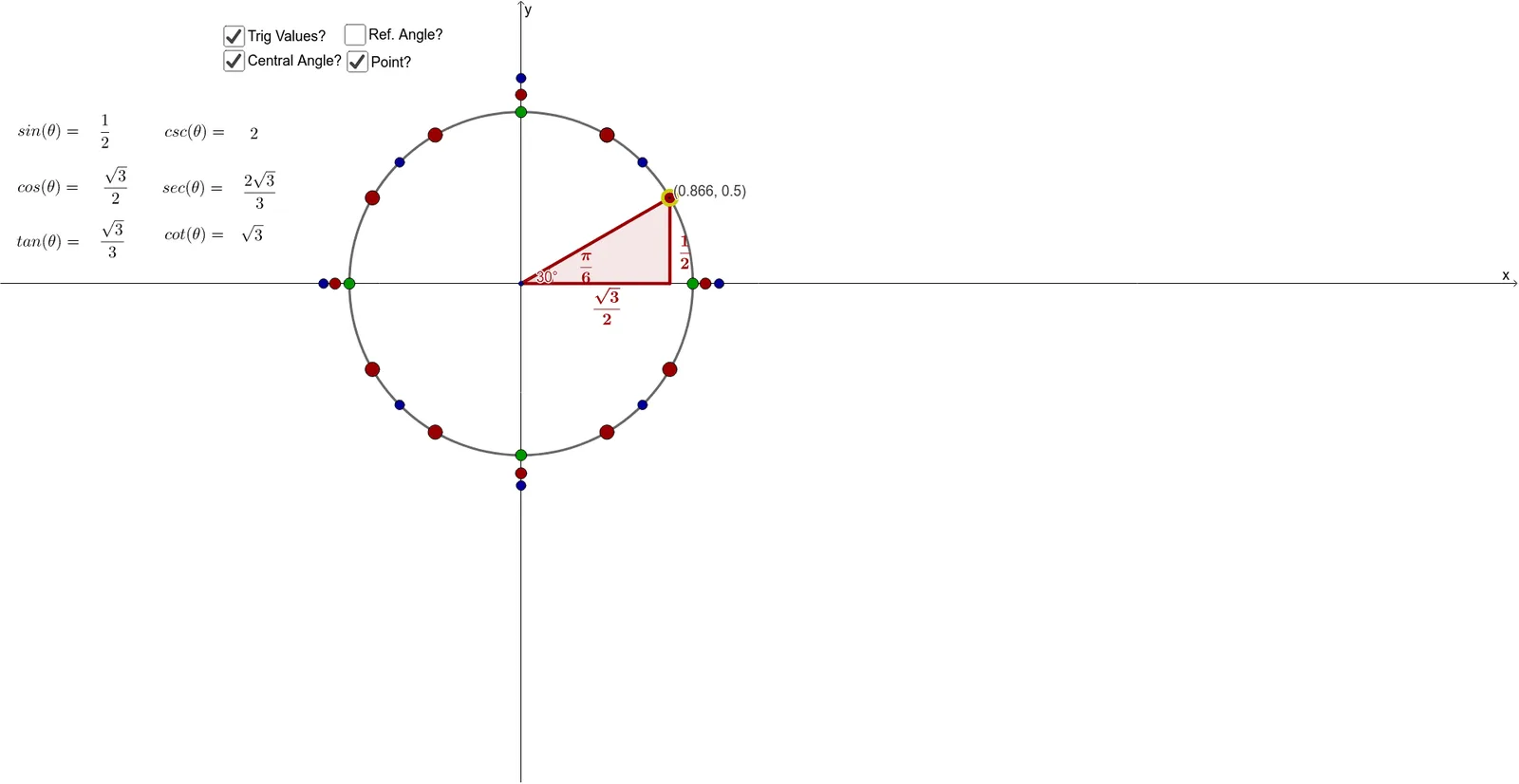
This example demonstrates the geometric representation of trigonometric functions on the unit circle. Key mathematical concepts include trigonometry, circle geometry, and the relationship between angles and trigonometric ratios. Construction involves GeoGebra commands such as Point, Sequence, Segment, Min, If, and Polygon to create points, angles, and triangles. Suitable for middle or high school mathematics education to understand basic trigonometric concepts and the application of the unit circle.
GeoGebra Commands & Parameters
Point(c) → ASequence(((π * k)) / 12, k, 0, 24) → AnglesSequence((cos(Element[Angles306090, k]), sin(Element[Angles306090, k])), k, 1, 9) → Pts306090Segment(O, B) → dMin(abs(Angles306090 - acosd(x(A)))) → d306090Min(abs(Angles459045 - acosd(x(A)))) → d459045Min(abs(AnglesVH - acosd(x(A)))) → dVHIf(d306090 ≤ d459045 ∧ d306090 ≤ dVH, 1, 0) → is306090If(d459045 < d306090 ∧ d459045 < dVH, 1, 0) → is459045If(dVH < d306090 ∧ dVH < d459045, 1, 0) → isVHIf(y(A) > 0, acosd(x(A)), π + acosd((-x(A)))) → thetaPolygon(O, A, B) → Triangle306090, b, o, aPolygon(O, A, B) → Triangle459045, b_1, o_1, a_1Polygon(O, A, B) → TriangleVH, b_2, o_2, a_2Sequence((cos(Element[Angles459045, k]), sin(Element[Angles459045, k])), k, 1, 4) → Pts459045Sequence((cos(Element[AnglesVH, k]), sin(Element[AnglesVH, k])), k, 1, 4) → PtsVHSequence((cos(Element[AnglesAll, k]), sin(Element[AnglesAll, k])), k, 1, Length[AnglesAll]) → PtsAllElement(AnglesAllLabels, 2) → FailRandom(1, 14) → randIntIf(theta > π, "-", "") → negSinIf(π / 2 < theta ∧ theta < ((3 * π)) / 2, "-", "") → negCosIf(tan(theta) < 0, "-", "") → negTanAngle(O2, O, A) → alphaGreenIf(theta ≟ π / 3 ∨ theta ≟ (2 * π / 3) ∨ theta ≟ (4 * π / 3) ∨ theta ≟ (5 * π / 3), 1) → isTall306090If(theta ≟ π / 6 ∨ theta ≟ (5 * π / 6) ∨ theta ≟ (7 * π / 6) ∨ theta ≟ (11 * π / 6), 1) → isSkinny306090If(theta ≟ π / 4 ∨ theta ≟ (3 * π / 4) ∨ theta ≟ (5 * π / 4) ∨ theta ≟ (7 * π / 4), 1) → isReal459045If(theta ≟ 0 ∨ theta ≟ π ∨ theta ≟ (2 * π), 1) → isHPoint(xAxis) → CPoint(xAxis) → DPoint(xAxis) → EPoint(xAxis) → FPoint(yAxis) → GPoint(yAxis) → HPoint(yAxis) → IPoint(yAxis) → JPoint(c_1) → A_1Point(c_2) → A_2Angle(O2, O, A) → alphaRedAngle(O2, O, A) → alphaBlue
AI Drawing Prompt Reference
Draw a unit circle and mark points at various angles around it. Connect the origin to each point to form radii. For each angle, draw the corresponding sine, cosine, and tangent lines, labeling their lengths. Also, draw reference triangles for each angle, showing the relationships between the angles and trigonometric functions. Finally, mark key points and angles on the coordinate axes to illustrate the connection between trigonometric ratios and the unit circle.
The prompt above was compiled from the original drawing commands and is for reference only.