
Trig Functions and the Unit Circle
Loading the math board and drawing, please wait…
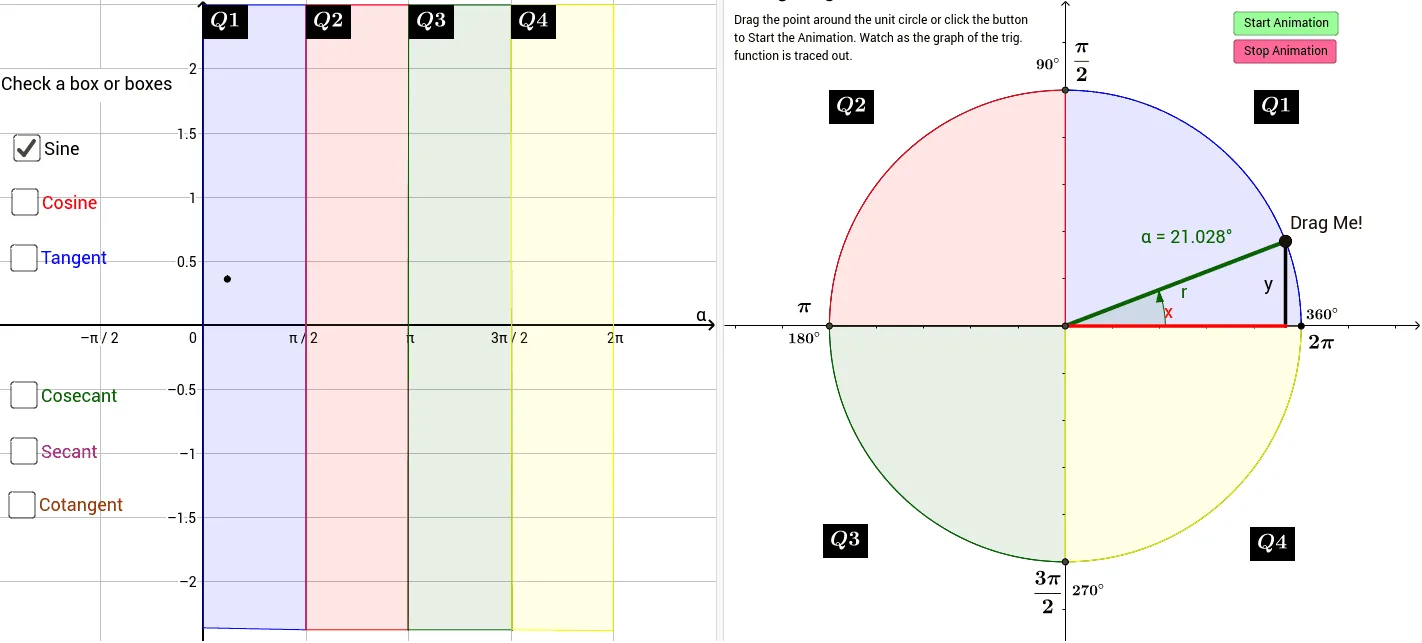
This example demonstrates trigonometric functions by dragging a point around the unit circle. Key mathematical concepts include trigonometric functions, unit circle, and triangles. It uses GeoGebra commands such as Point, Intersect, Angle, Turtle, Segment, Rotate, CircleSector, Polygon, and OrthogonalLine. Suitable for high school math education, particularly in teaching trigonometric functions and the unit circle.
GeoGebra Commands & Parameters
Point(c) → AIntersect(xAxis, yAxis) → BIntersect(c, xAxis, 2) → CAngle(C, B, A) → αTurtle() → turtle1Segment(B, A) → gRotate(J, 0°, K) → J'Angle(J, K, J') → δIntersect(c, yAxis, 2) → LCircleSector(B, C, L) → eIntersect(c, xAxis, 1) → MCircleSector(B, L, M) → hIntersect(c, yAxis, 1) → NCircleSector(B, M, N) → kCircleSector(B, N, C) → pPoint(yAxis) → OPoint(yAxis) → ZPolygon(Z, W, P, O) → poly1, z_1, w, p_1, oPolygon(P, W, V, Q) → poly2, p_2, w_1, v, qPolygon(Q, V, U, R) → poly3, q_1, v_1, u, rPolygon(R, U, T, S) → poly4, r_1, u_1, t, sPoint(p) → A_1Segment(A_1, M) → mOrthogonalLine(A, m) → nIntersect(h, n, 1) → B_1Intersect(h, k, 1) → C_1Intersect(m, n) → D_1Segment(A, D_1) → f_1Segment(D_1, B) → g_1Point(m) → E_1
AI Drawing Prompt Reference
Draw a unit circle and demonstrate trigonometric functions by dragging a point around it. Start by drawing the unit circle and coordinate axes, then mark a point A on the circle and draw a line segment g from the origin to A. Use rotation and translation commands to construct angles α and δ, and their corresponding sectors e, h, k, and p. Construct polygons and line segments to show the relationships between triangles and sectors, and finally use perpendicular lines and intersections to construct auxiliary line segments f_1 and g_1.
The prompt above was compiled from the original drawing commands and is for reference only.