
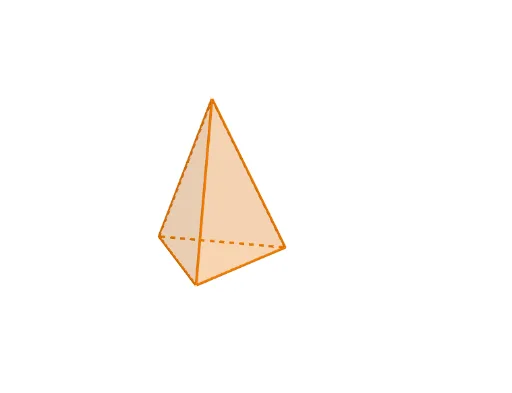
Triangular Pyramid
Loading the math board and drawing, please wait…
In collections
P1 P2 立體圖形 / 3D Shapes
This example demonstrates the construction of a triangular pyramid. It involves key concepts in triangles, polygons, and solid geometry. Using GeoGebra commands such as Line, Polygon, and Rotate, it dynamically shows the faces and edges of the triangular pyramid. Suitable for middle and high school students learning solid geometry.
GeoGebra Commands & Parameters
Line((0, 1, 0), (0, 0, 0)) → RotateAxisIf(ShowChi, "依據立體底的形狀命名", "Naming by the base of the shape") → TextShowName2If(ShowChi, "立體高度", "Height") → TextSlider1If(ShowChi, "立體大小", "Size") → TextSlider2If(ShowChi, "立體位置(高低)", "Vertical Position") → TextSlider3If(ShowChi, "立體位置(橫向)", "Horizontal Position") → TextSlider4If(ShowChi, "施轉立體", "Rotate the shape") → TextSlider5If(ShowChi, "透明度", "Transparency") → TextSlider6Polygon(ShapePt1, ShapePt2, ShapePt3) → ShapeBase, shapept3, shapept1, shapept2Rotate(ShapeBase, S5, ShapePtAxis, RotateAxis) → ShapeBaseRIf(ShowChi, "三角錐體", "Triangular Pyramid") → TextName2Pyramid(ShapeBaseR, (S1 * S2)) → Shape, A, face1, face3, face2, edge1, edge2, edge3If(ShowChi, "角錐", "Pyramid") → TextName1
AI Drawing Prompt Reference
Draw a triangular pyramid with a triangular base formed by three vertices. Start with a vertical rotation axis, then rotate the base triangle around this axis to tilt it. Extend a height vertically from the base center to the apex, connecting the three base vertices to the apex to form three side faces. Adjust the height, size, vertical and horizontal position, rotation angle, and transparency. Display labels in Chinese or English, such as "Triangular Pyramid" and "Pyramid".
The prompt above was compiled from the original drawing commands and is for reference only.