
Triangle in a Cuboid
Loading the math board and drawing, please wait…
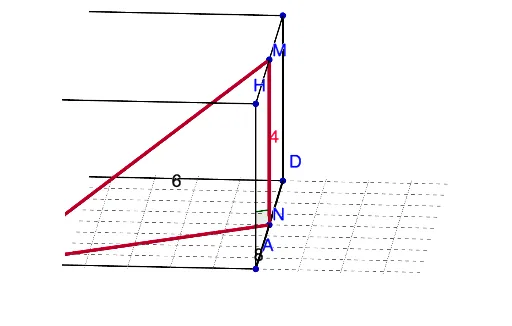
This example demonstrates a triangle formed by connecting midpoints of edges inside a cuboid, with interactive rotation to explore its spatial position and shape. The core mathematical concepts involve solid geometry, cuboid properties, midpoint connections, and spatial triangle relationships. Construction details: using GeoGebra commands Segment and Angle, with objects including vertices A-H, edges a-n, midpoints K, J, I, M, N, and auxiliary segments p, q, r, s, t. Suitable for high school or early college students to understand 3D point-line-plane relationships, and as a dynamic teaching tool for solid geometry.
GeoGebra Commands & Parameters
Segment(H, G) → aSegment(G, F) → bSegment(F, E) → cSegment(E, H) → dSegment(H, A) → eSegment(A, D) → fSegment(D, C) → gSegment(C, B) → hSegment(B, G) → iSegment(F, C) → jSegment(E, D) → kSegment(A, B) → lSegment(A, F) → mSegment(A, C) → nSegment(K, J) → pSegment(I, J) → qSegment(I, K) → rSegment(A, E) → sSegment(M, N) → tSegment(B, N) → a_1Segment(B, M) → b_1Angle(M, N, B) → α
AI Drawing Prompt Reference
Inside a cuboid, connect the midpoints of its edges to form a triangle, and show how rotating the cuboid allows exploring the triangle's spatial position and shape, with auxiliary segments linking these midpoints to illustrate 3D point-line-plane relationships.
The prompt above was compiled from the original drawing commands and is for reference only.